Deriv Login and Deposit: Secure Account Access & Funding

Below are practical steps for secure account access, and an overview of deposit channels Deriv accepts — debit and credit cards, popular e-wallets, local bank transfers and selected cryptocurrencies — plus the typical minimums, processing times and currency support for each channel. Expect faster clearing with e-wallets and crypto, while bank transfers and card refunds may take multiple business days and sometimes need extra ID checks. You will also find troubleshooting tips for failed or pending deposits, how to match payment names to your Deriv profile, and when to contact support with transaction references to speed resolution.

How to Login to Deriv
How to Login Deriv account?
- Go to Deriv website
- Click on “Login”.
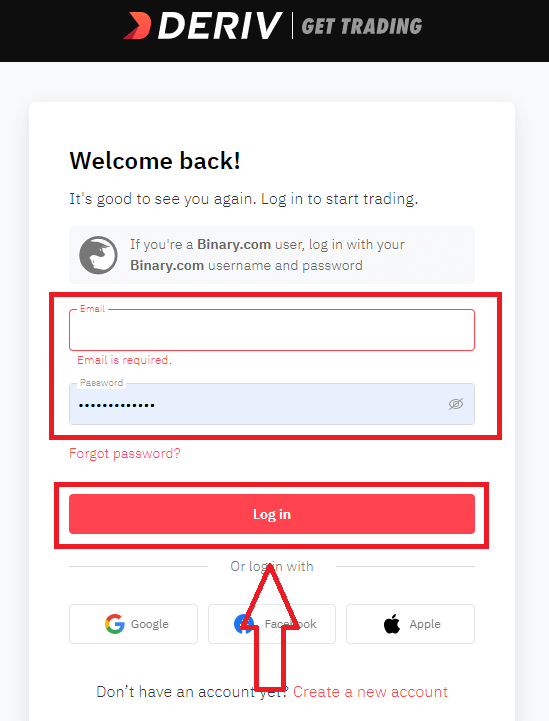
- Enter your email address and password.
- Click on “Log In” button.
- Click on “Facebook” or “Gmail” or "Apple" for login
- If you forgot password click on “Forgot Password”.
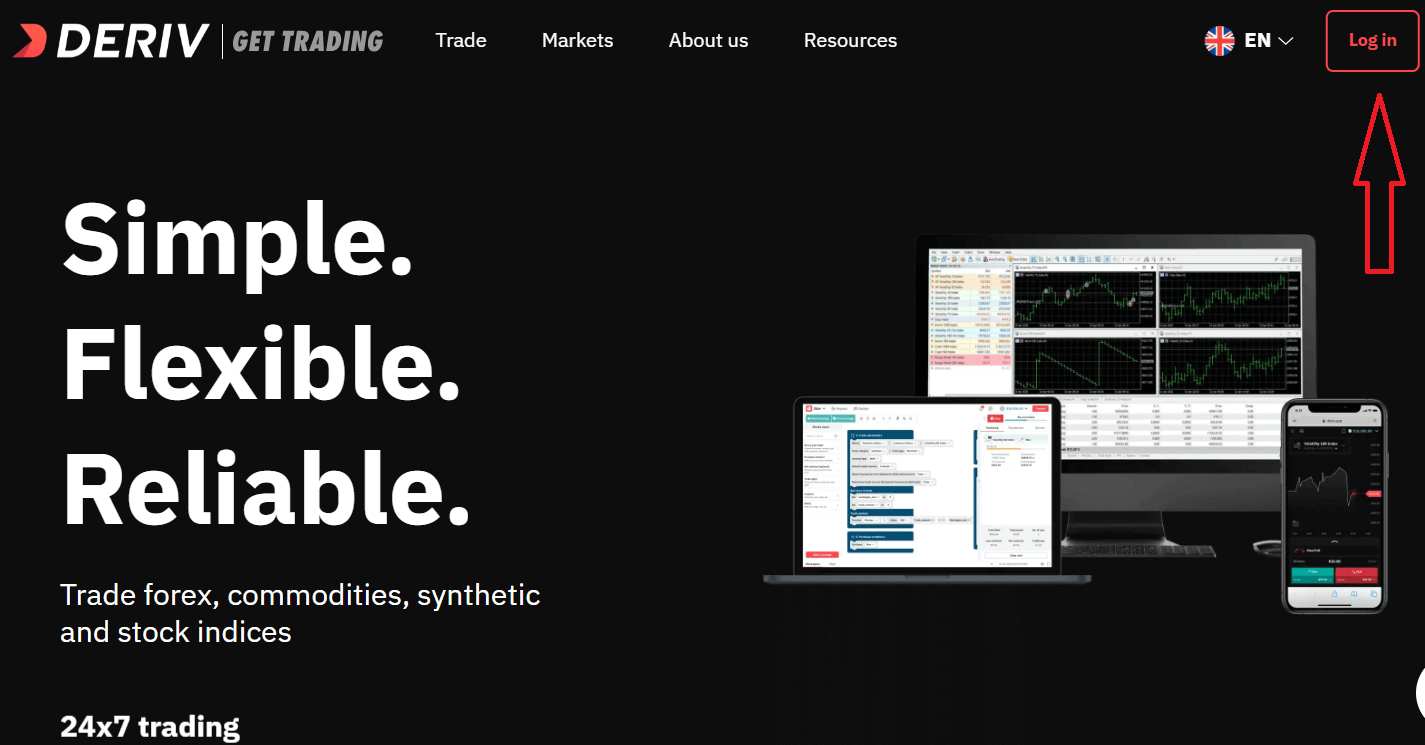
To log in to Deriv you need go to website. To enter email address and password, you must click on the «Log in». On the main page of the site and enter the login (e-mail) and password that you specified during registration.
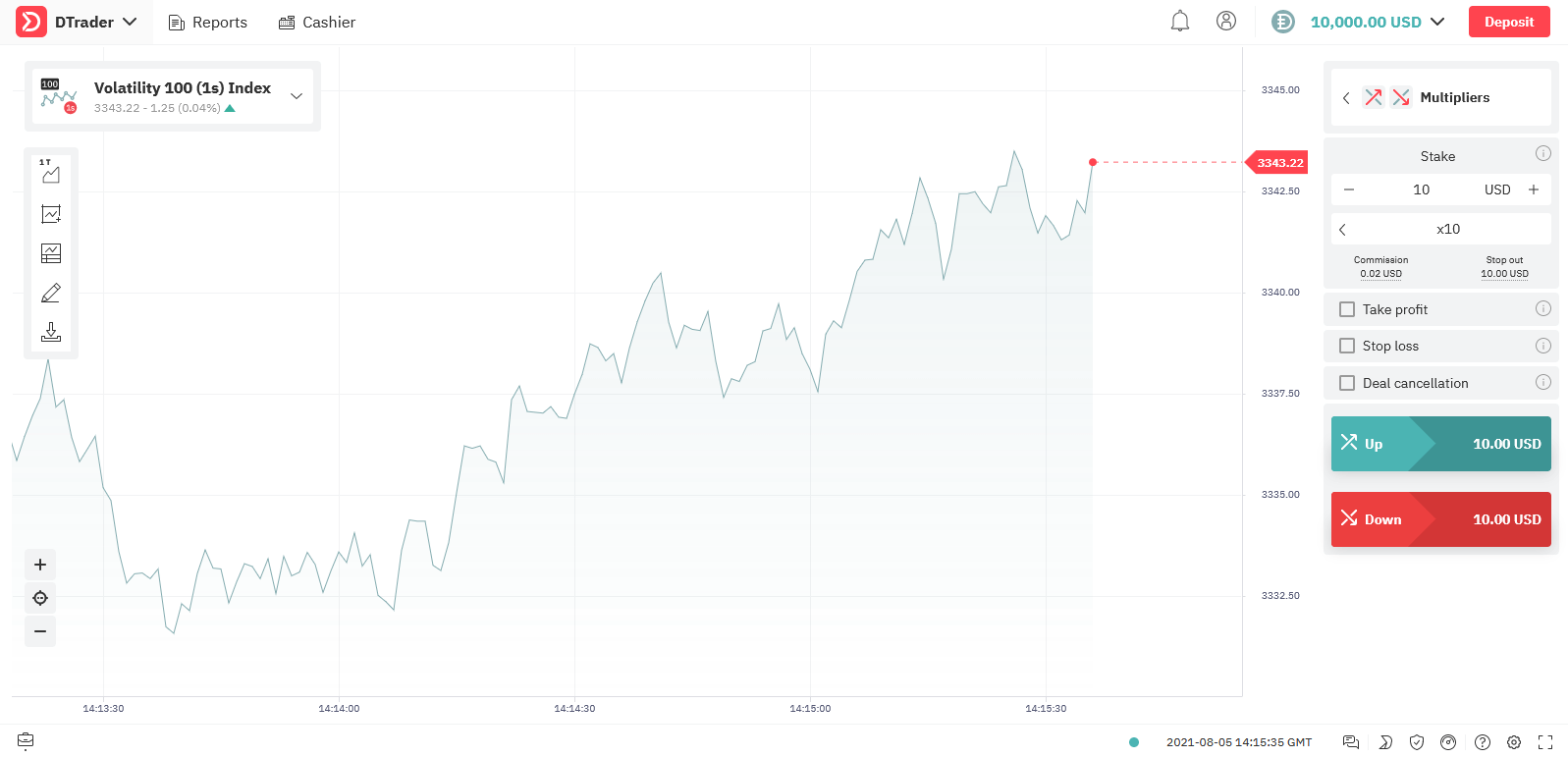
After Login Successfully. You can switch between Real account and Demo account.
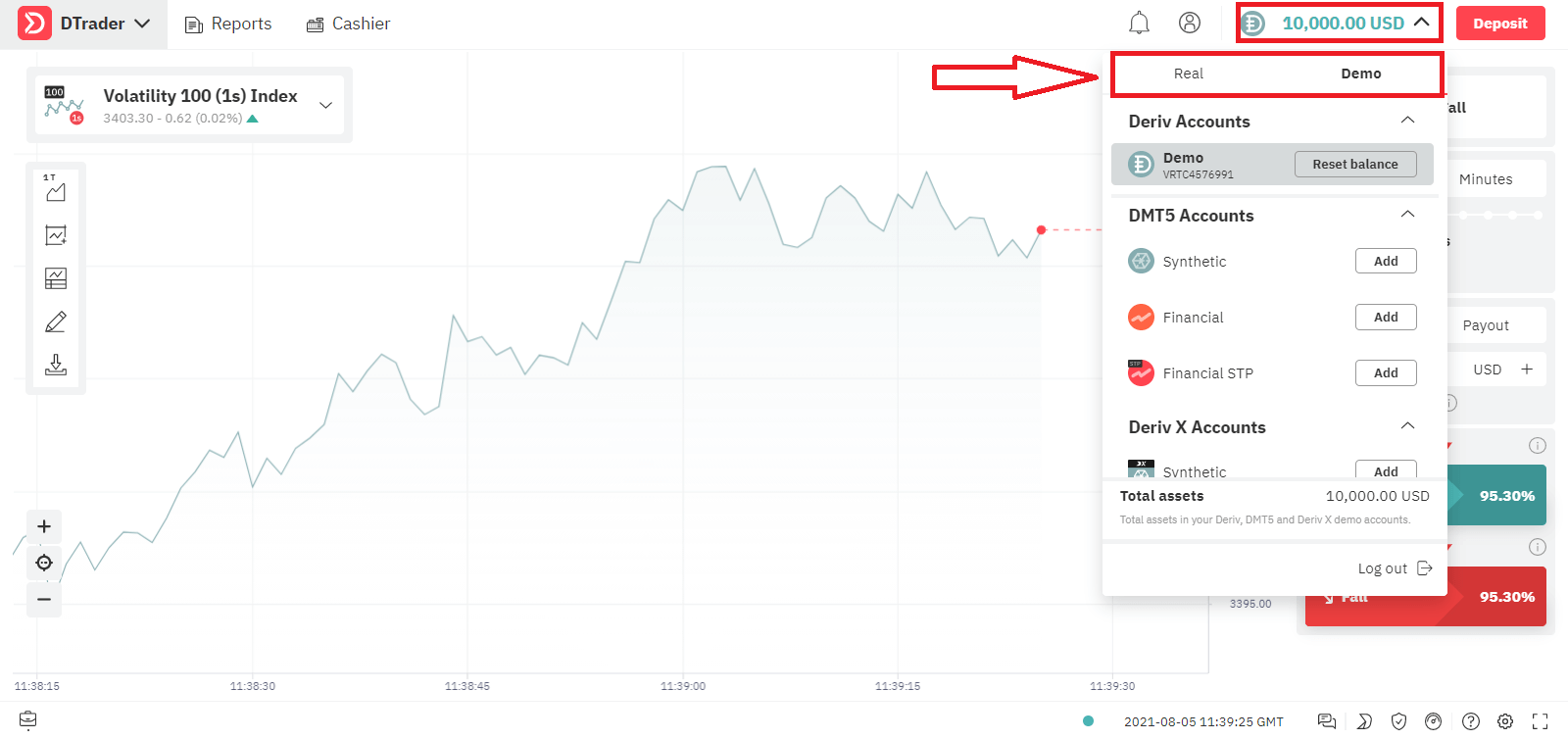
Choose the Trading Platform you want to trade
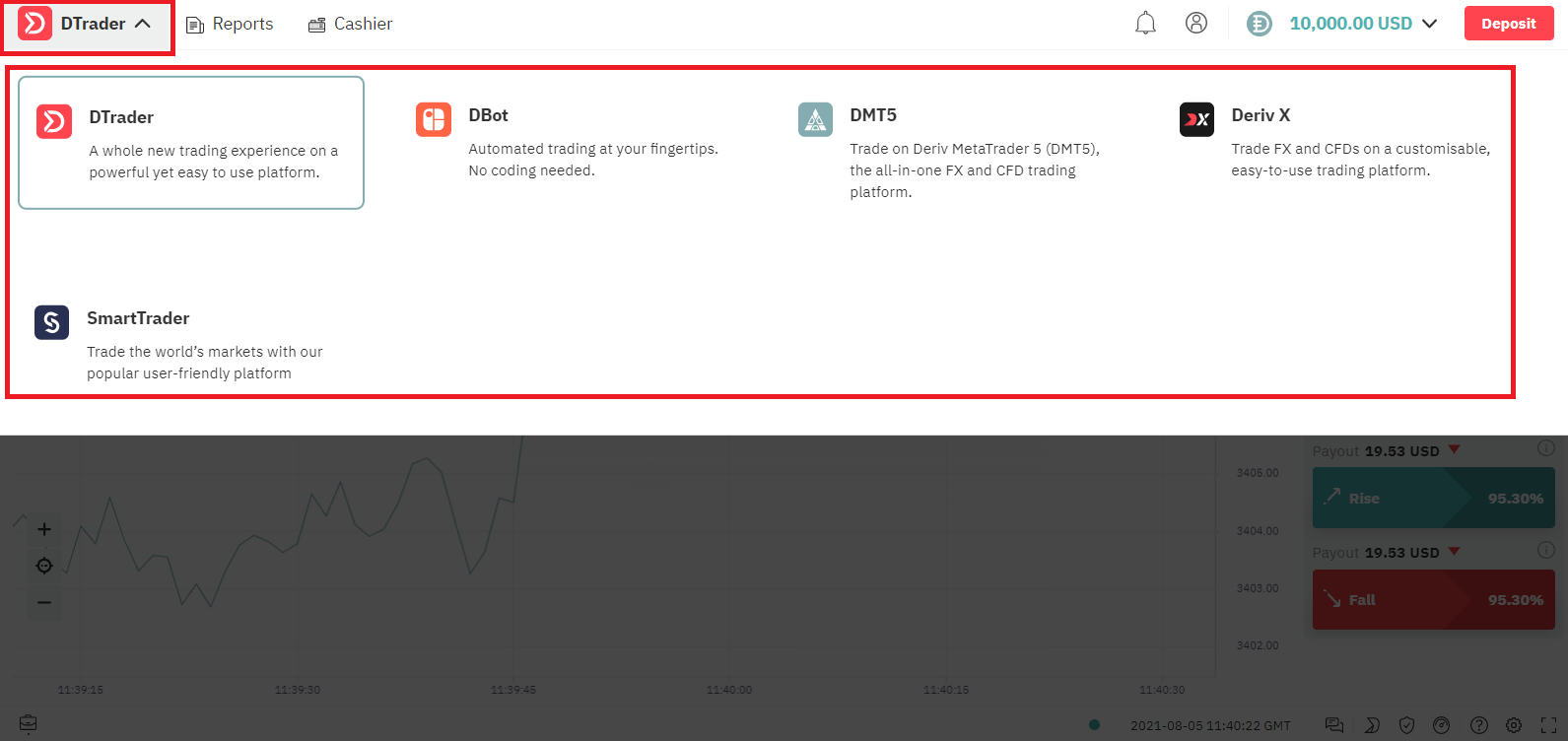
Now You can trade for Demo Account with $10,000.
How to Login Deriv using Facebook?
You can also log in to the web site using your personal Facebook account by clicking on the Facebook logo. Facebook social account can be use on web and mobile apps.1. Click on Facebook button
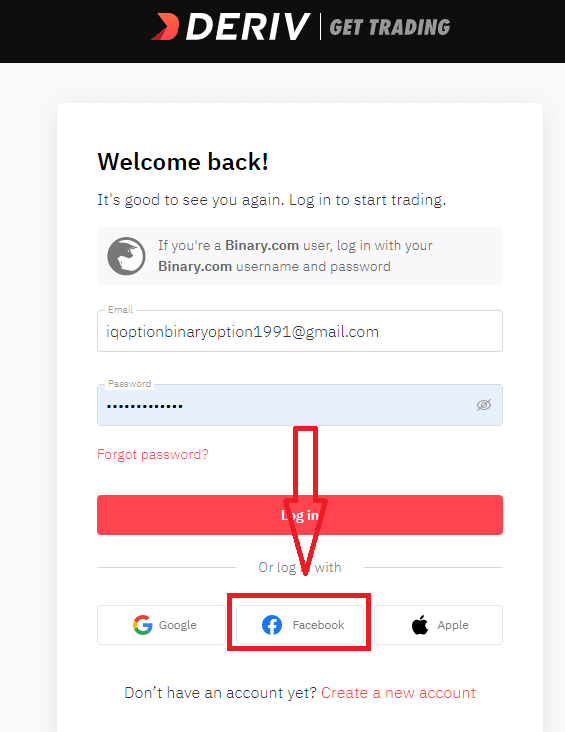
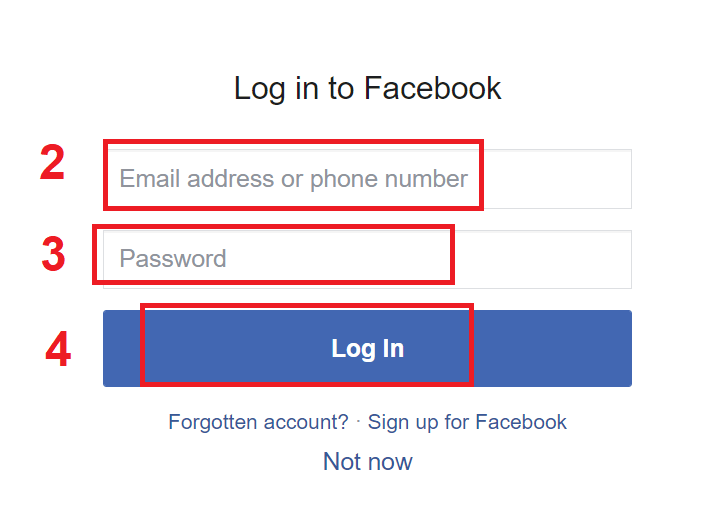
2. Facebook login window will be opened, where you will need to enter your email address or phone number that you used to register in Facebook
3. Enter the password from your Facebook account
4. Click on “Log In”
Once you’ve clicked on the “Log in” button, Deriv is requesting access to: Your name and profile picture and email address. Click Continue...
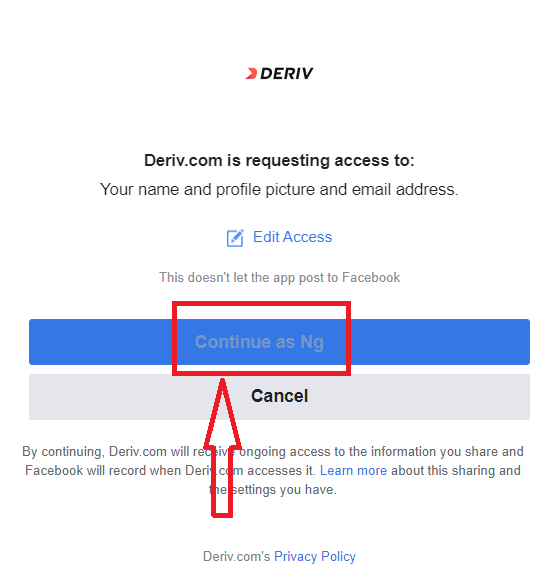
After That You will be automatically redirected to the Deriv platform.
How to Login Deriv using Gmail?
1. For authorization through your Gmail account, you need to click on Google logo.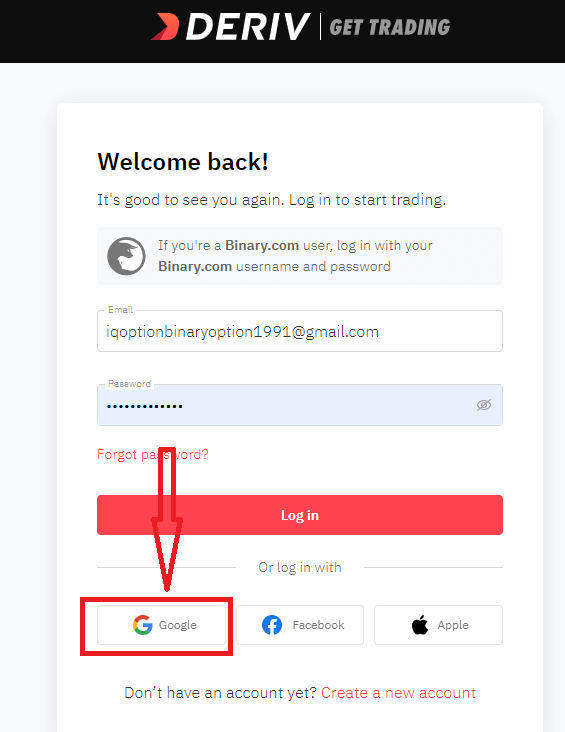
2. In the new window that opens, enter your phone number or email and click “Next”.
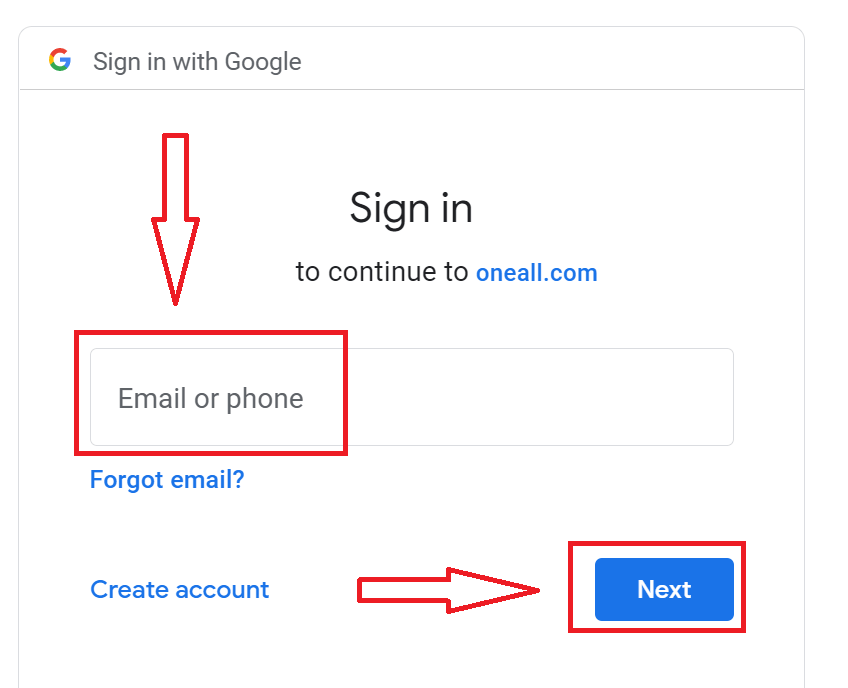
3. Then enter the password for your Google account and click “Next”.
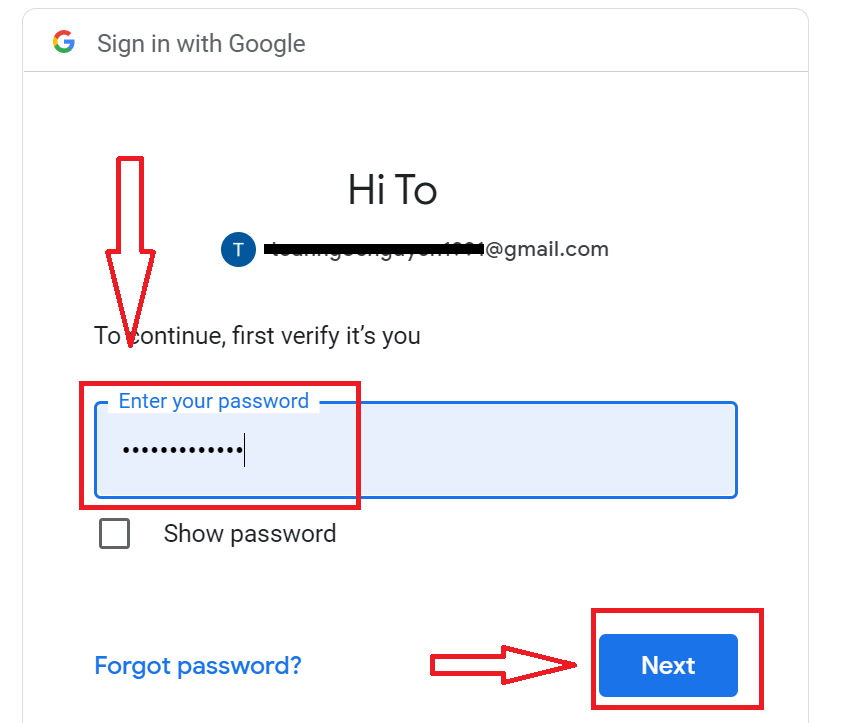
After that, follow the instructions sent from the service to your email address. You will be taken to your personal Deriv account.
How to Login Deriv using Apple ID?
1. For authorization through your Apple ID account, you need to click on Apple logo.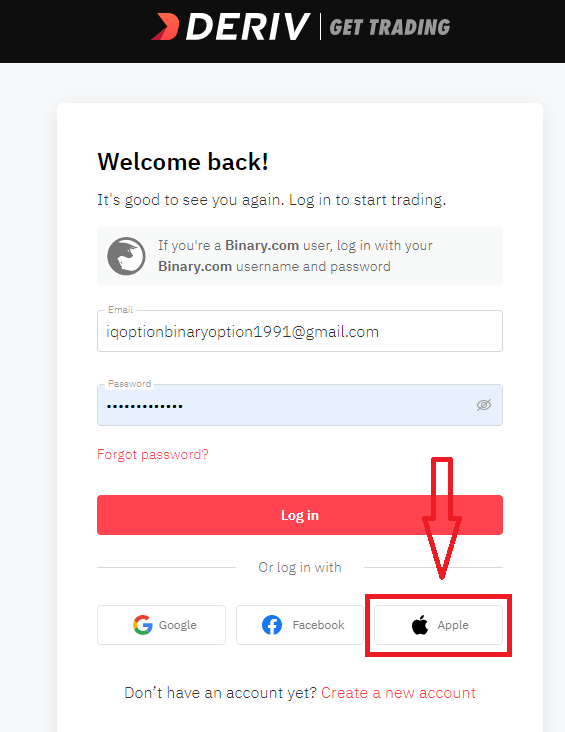
2. In the new window that opens, enter your Apple ID and click “Next”.
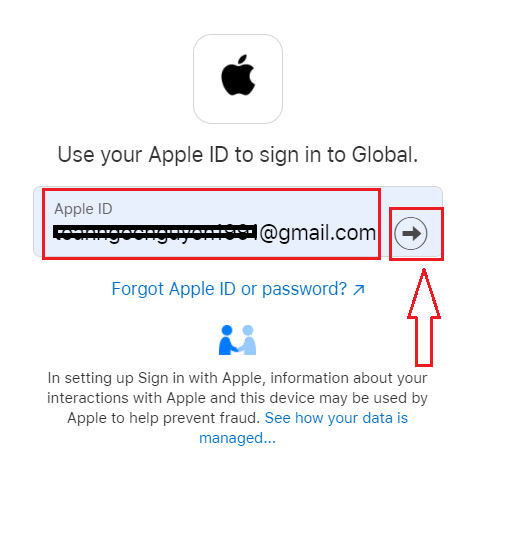
3. Then enter the password for your Apple ID and click “Next”.
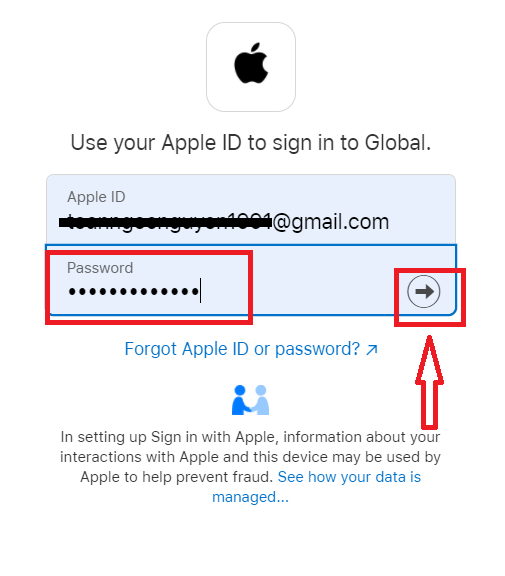
After that, follow the instructions sent from the service to your Apple ID. You will be taken to your personal Deriv account.
I forgot my password from Deriv
To restore your Deriv password, click "Forgot Password"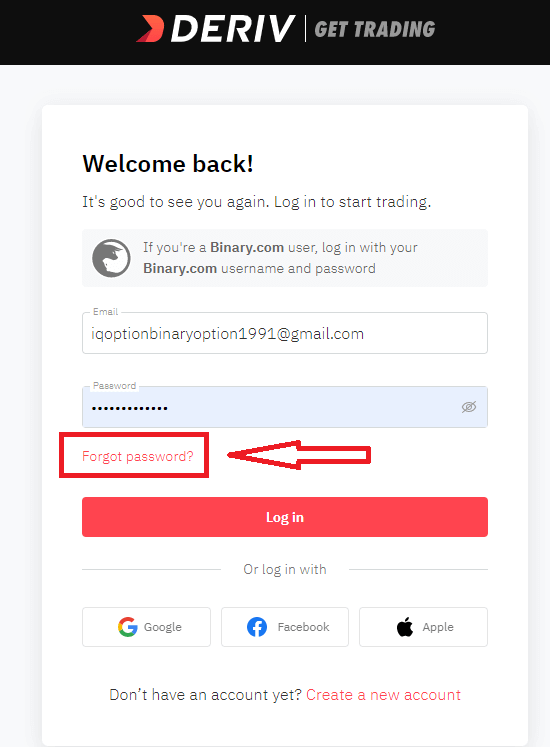
There, please, enter the e-mail address is registered with and click the "Reset my Password" button:
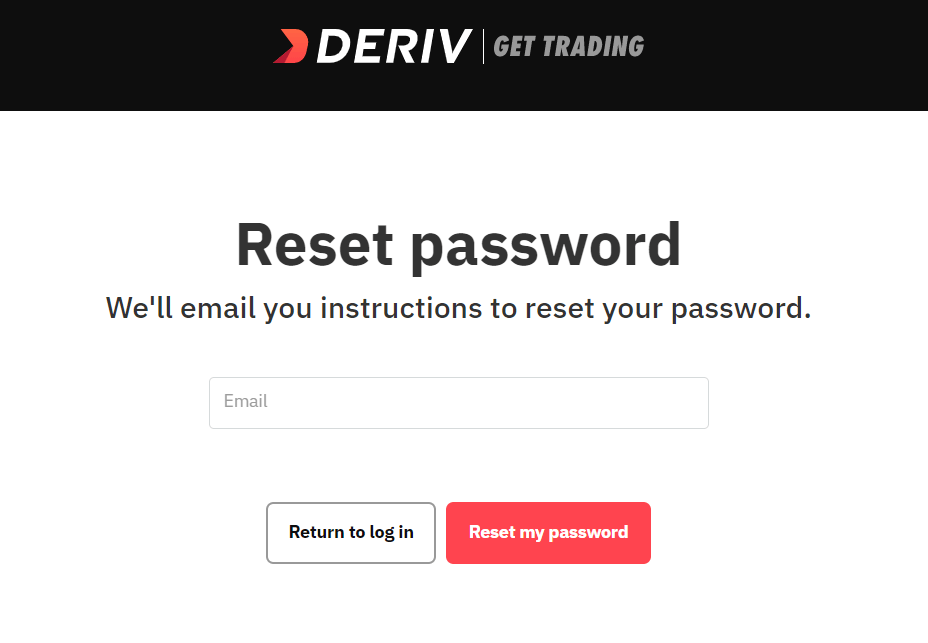
After that, you will receive the e-mail with a password recovery, click on "Reset my password" button.
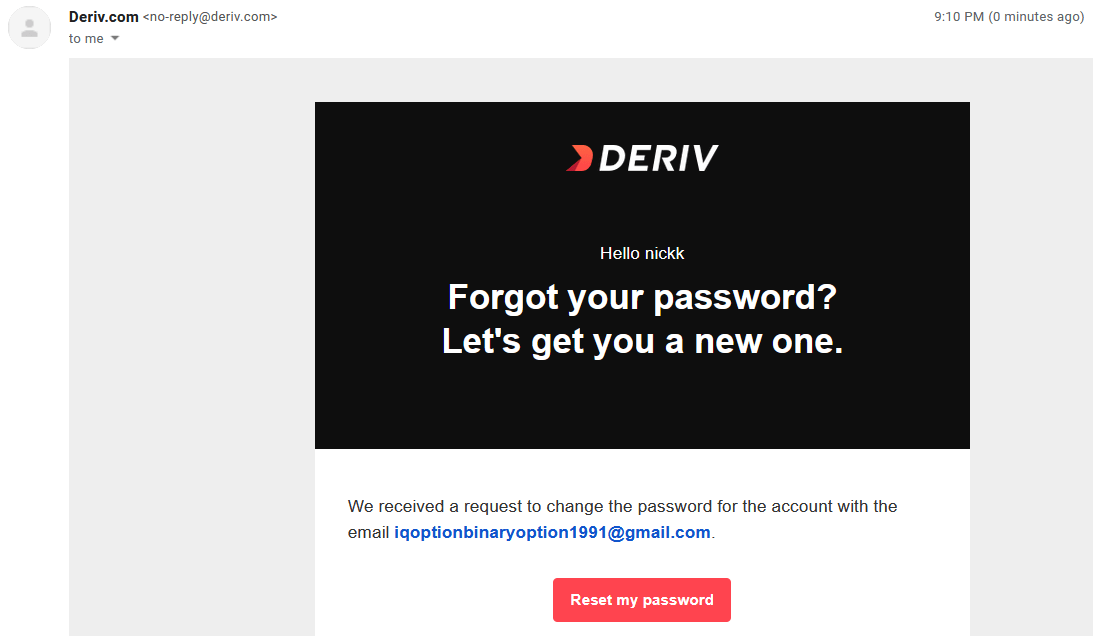
You will be forwarded to the page where you can enter your new password and then click "Reset my Password"
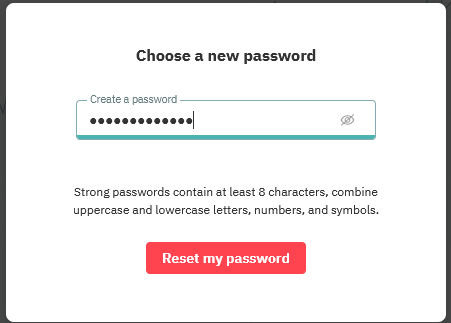
Your Deriv password has been changed! Now you can log in to Deriv.
FAQ of Deriv Login
I forgot my Google/Facebook account password. How can I log in to my Deriv account?
If you’ve forgotten your Google/Facebook account password, you can reset your Deriv account password to log in to Deriv.
How can I close my account?
Before closing your account, please close all your open positions and withdraw all the funds in your account. After that, you may contact us with your request.
Why are my DMT5 login details different from my Deriv login details?
MT5 on Deriv is a standalone trading platform that isn’t hosted on our website. Your DMT5 login details give you access to the MT5 platform while your Deriv login details give you access to the platforms hosted on our website, such as DTrader and DBot.
How can I reset my DMT5 account password?
Please go to the DMT5 dashboard and click on the Password button of that DMT5 account.
How do I reset my Deriv X Password?
Go to your Account settings. Under “Security and safety”, select “Passwords”. You can reset your Deriv X password under “Trading password”.Note: Remember that your trading password is also linked to your Deriv MT5 (DMT5) account.
How to Deposit Money at Deriv
Deposit Method
Online Banking
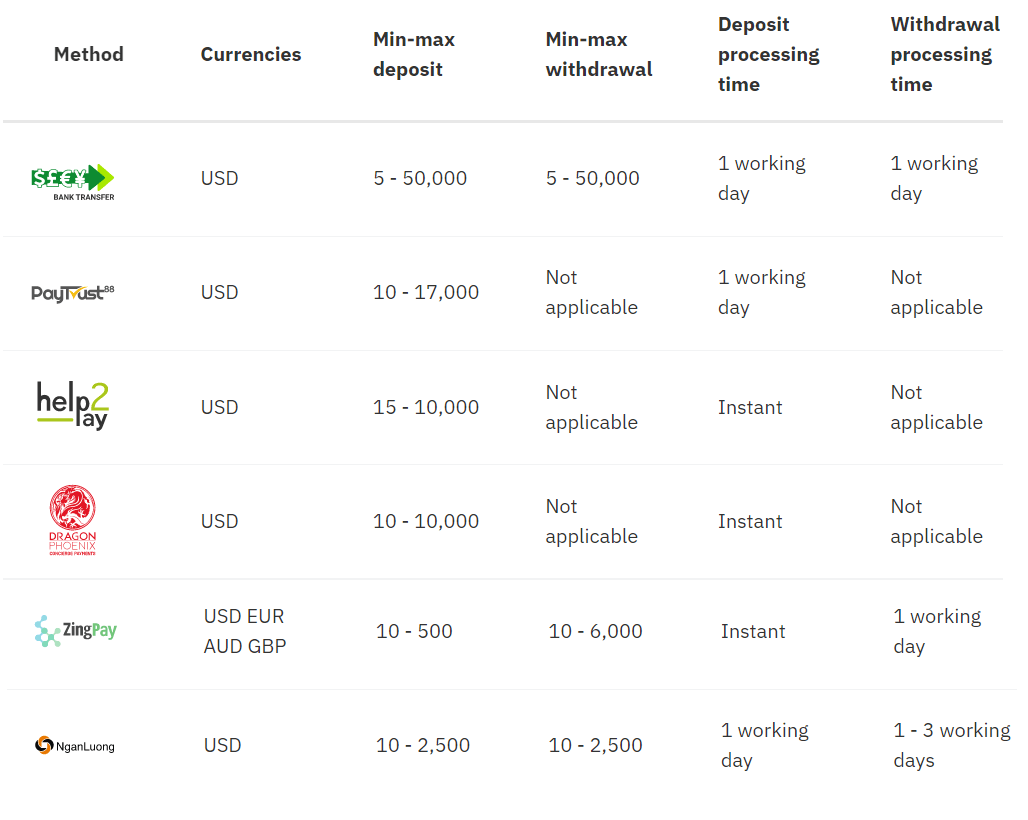
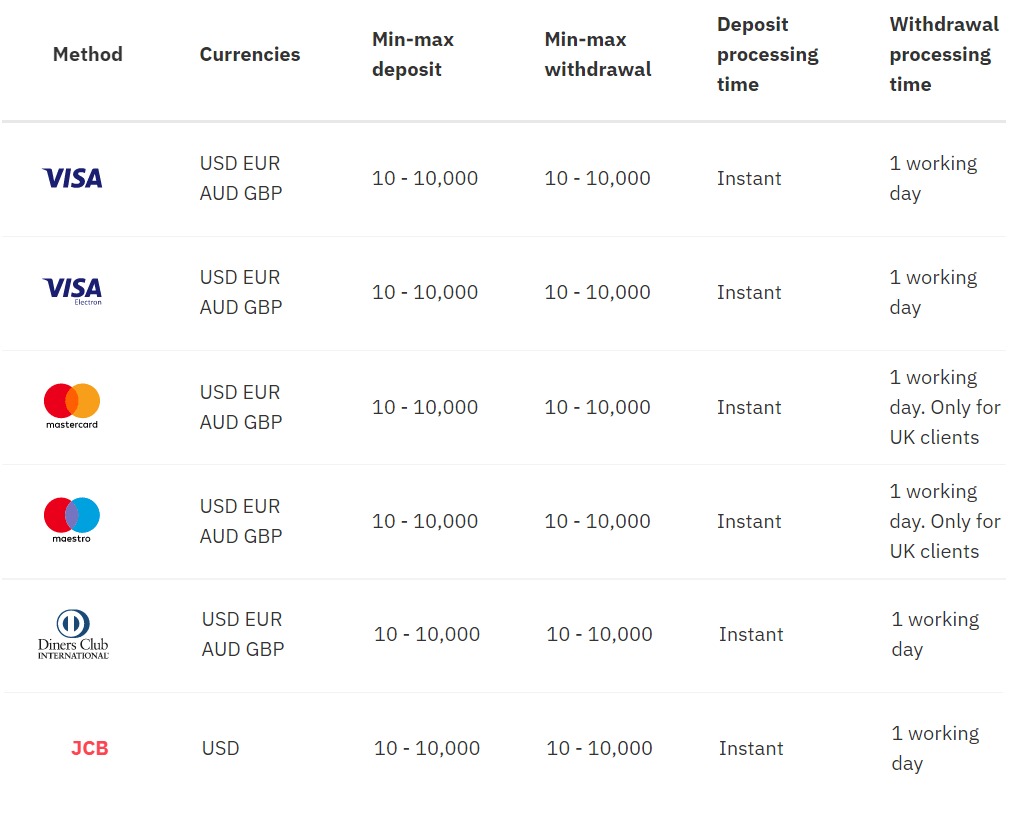
Credit/debit cards
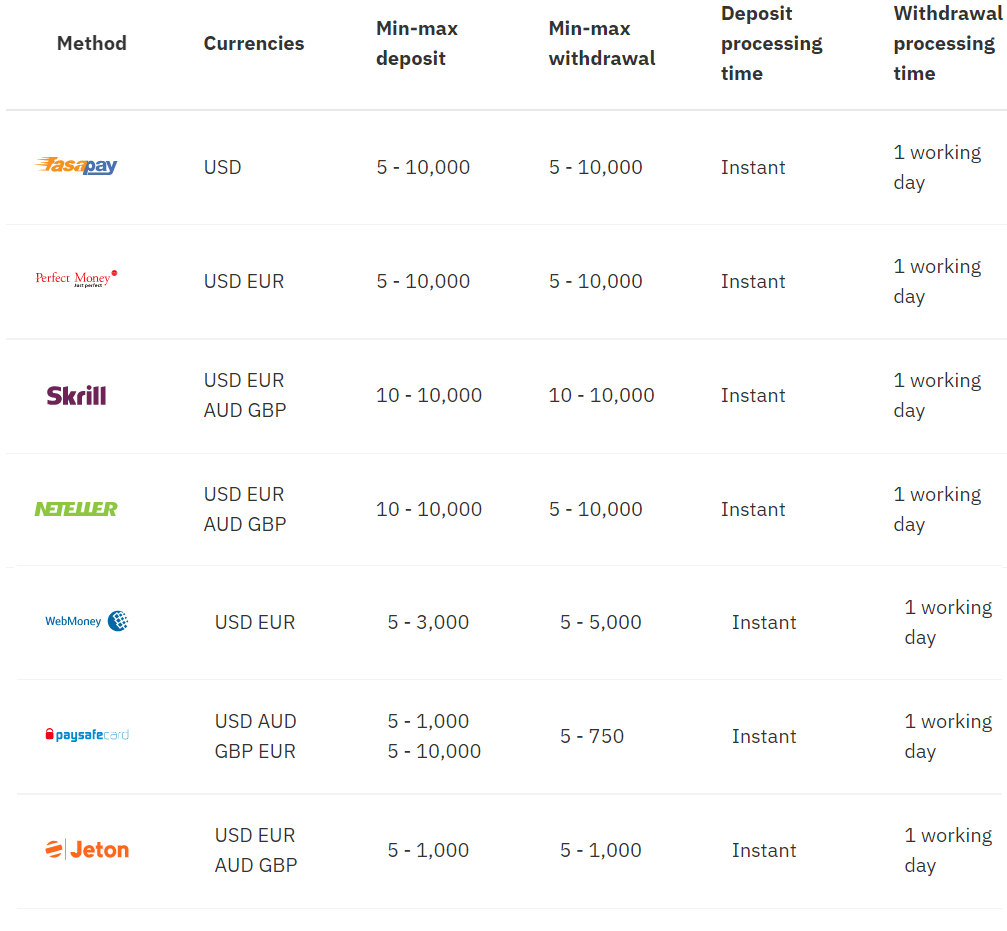
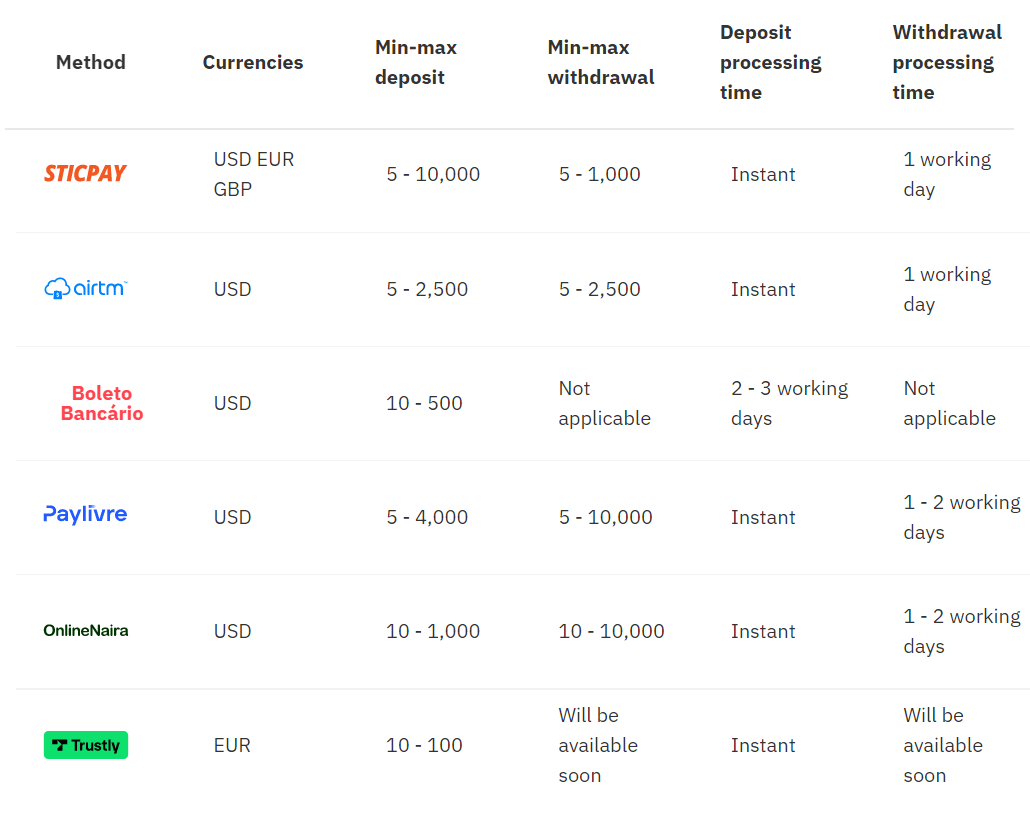
E-wallets
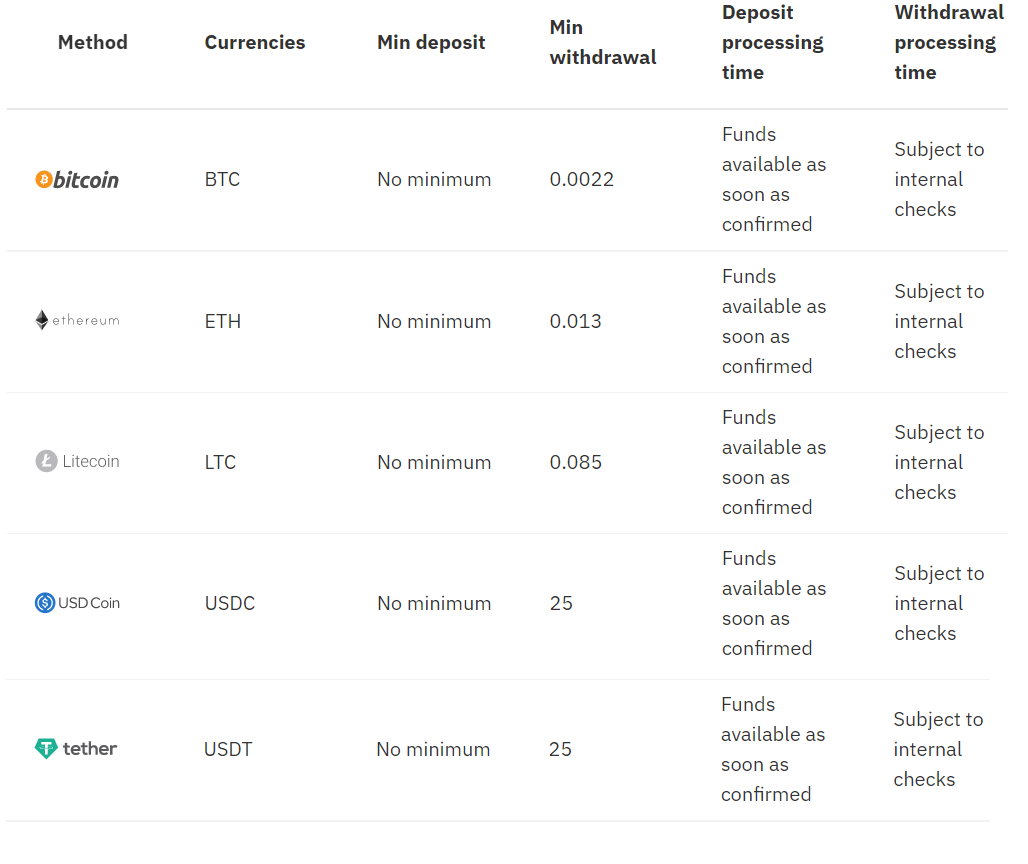
Cryptocurrencies
Fiat onramp - Buy crypto on popular exchanges
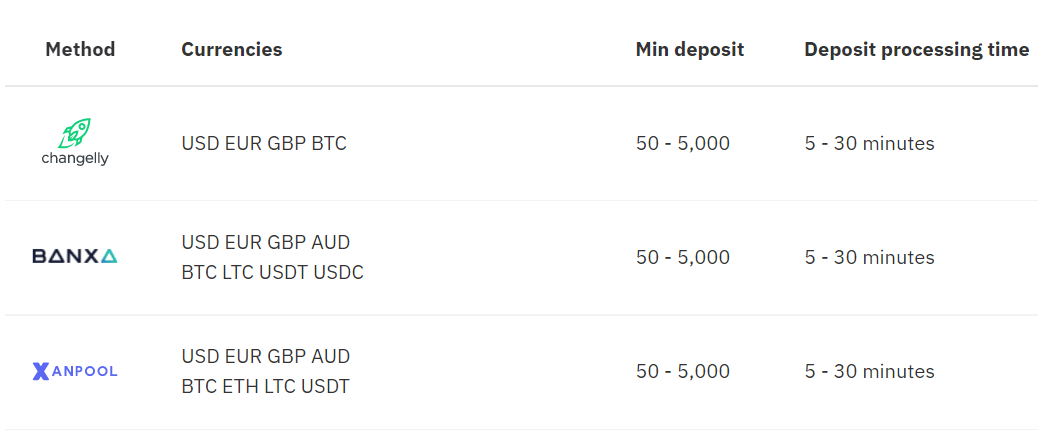
Deposit using Visa credit or Debit card
Currencies
- USD, GBP, EUR, and AUD
- Deposits: Instant
- 10-10,000
* Min and max amounts apply to USD, GBP, EUR, and AUD.
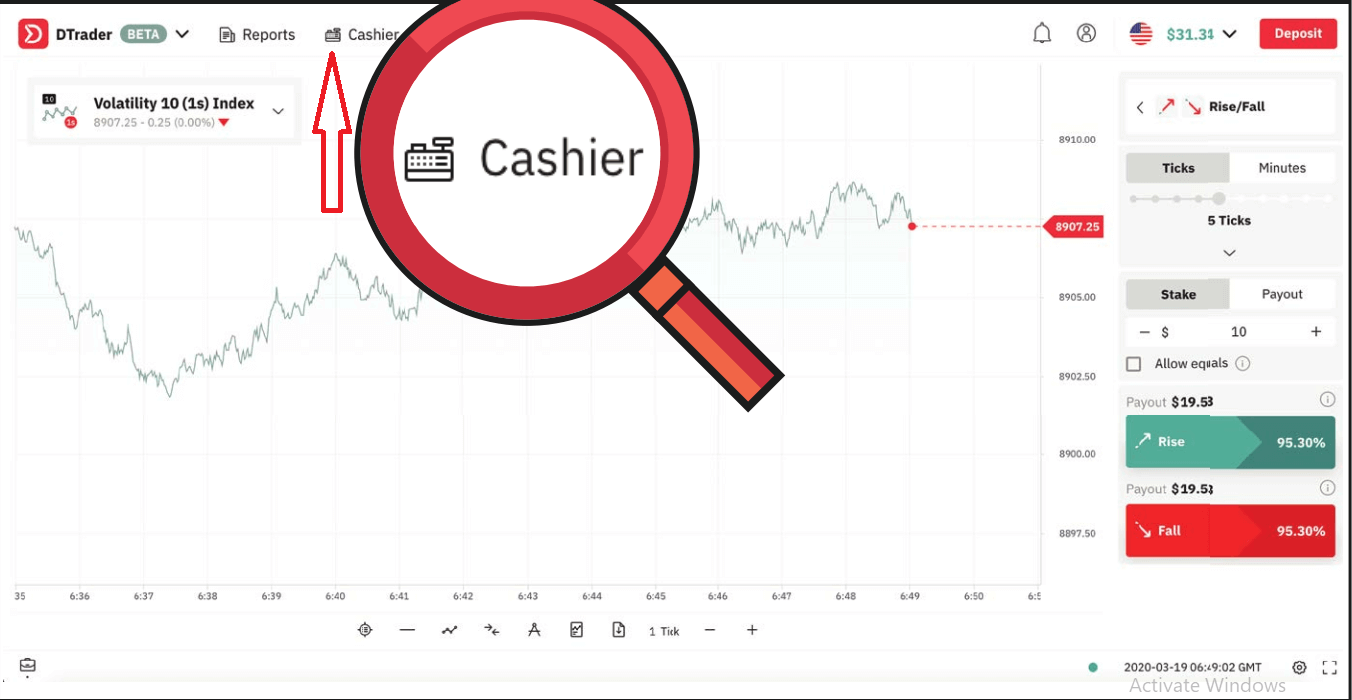
1. Log in to your Deriv account and click on Cashier
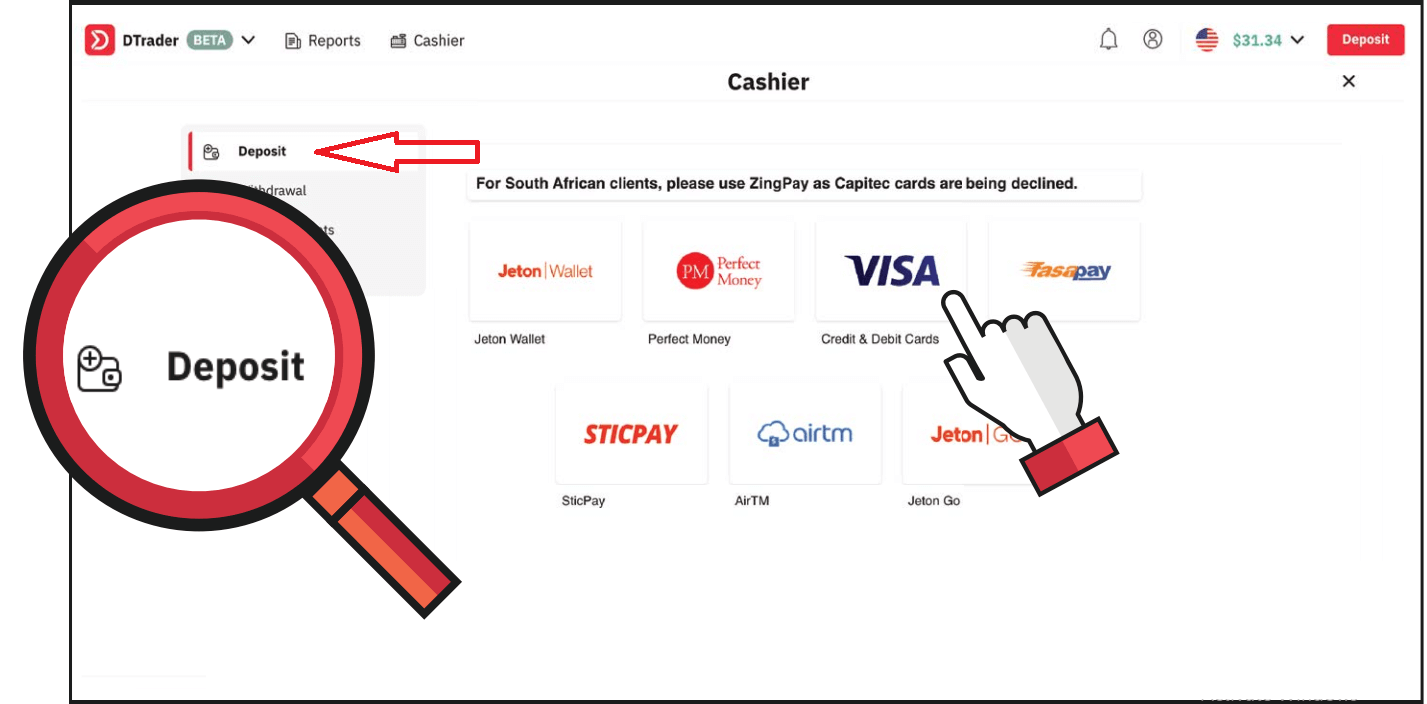
2. Click on Deposit and select VISA
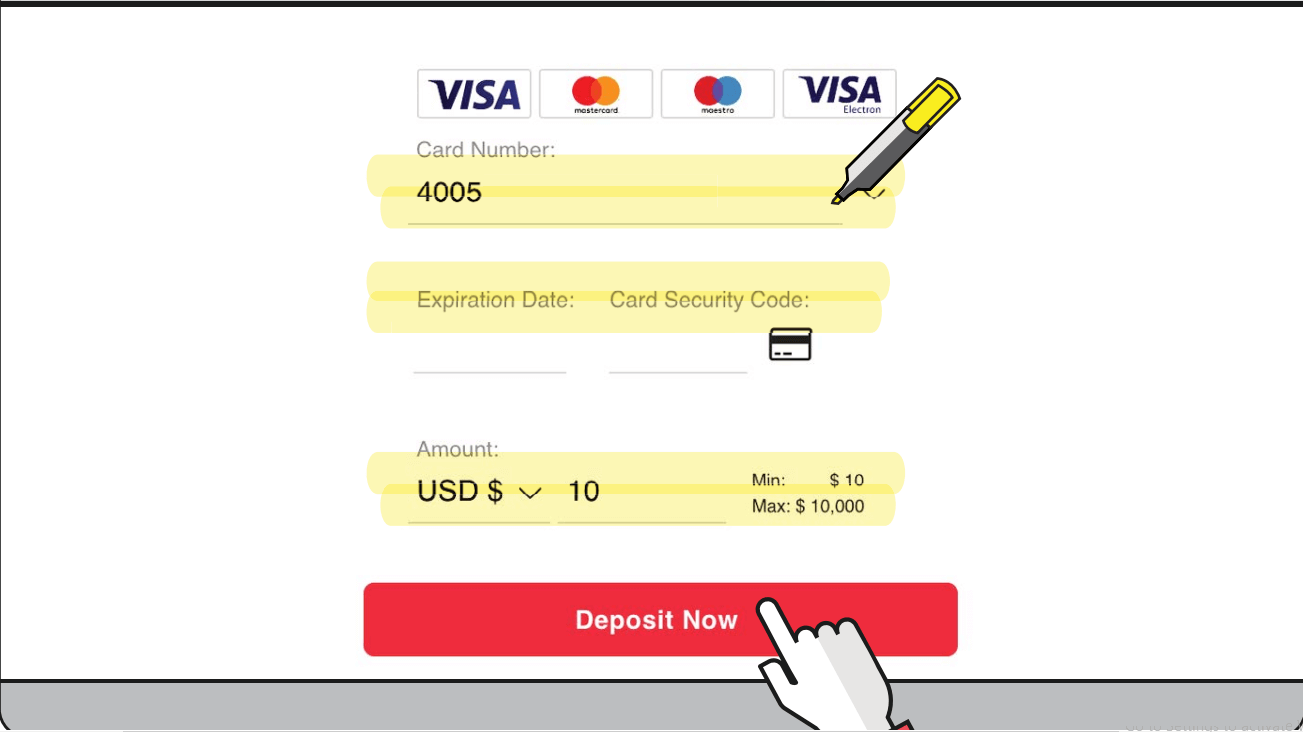
3. Enter your card credentials and the amount you wish to deposit. Then click Deposit now
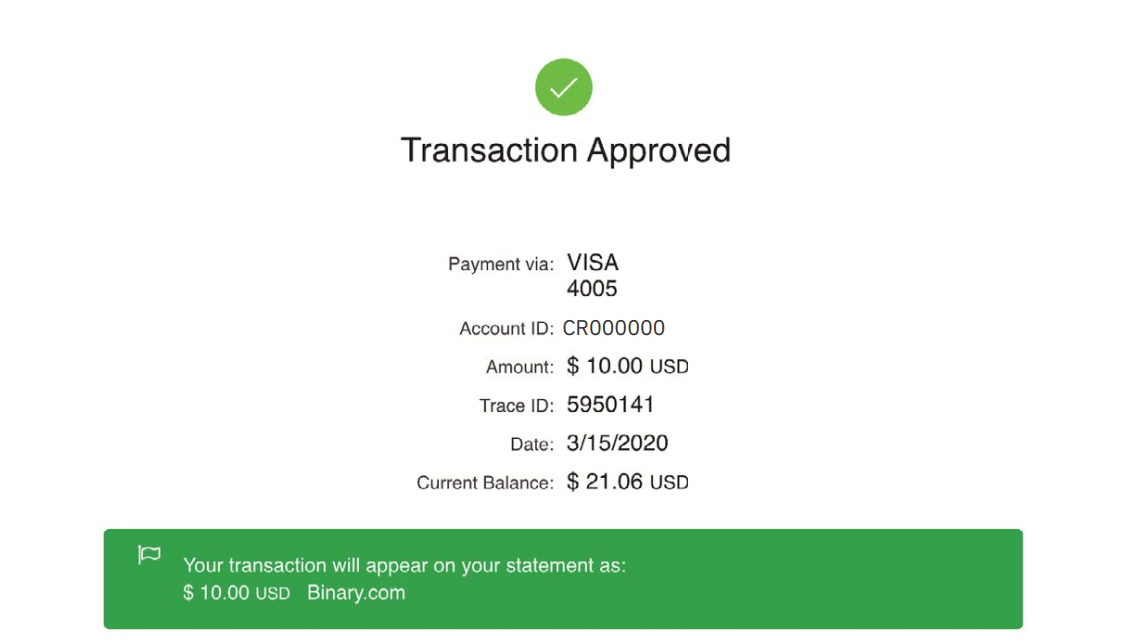
4. Once done, you will receive a confirmation of the approved transaction.
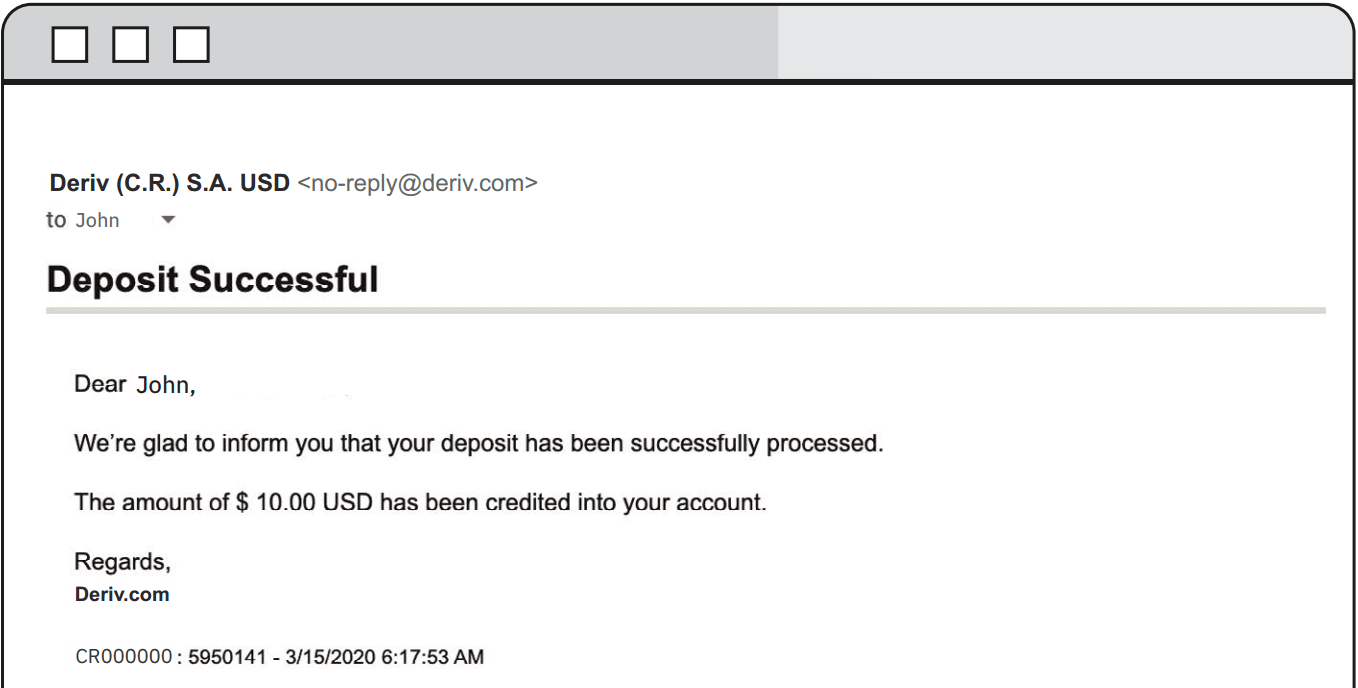
5. You will also receive an email confirmation of the successful deposit
Deposit using FasaPay
Currencies
- USD
- Deposits: Instant
- 5-10,000
1. Log in to your Deriv USD account and click on Cashier.
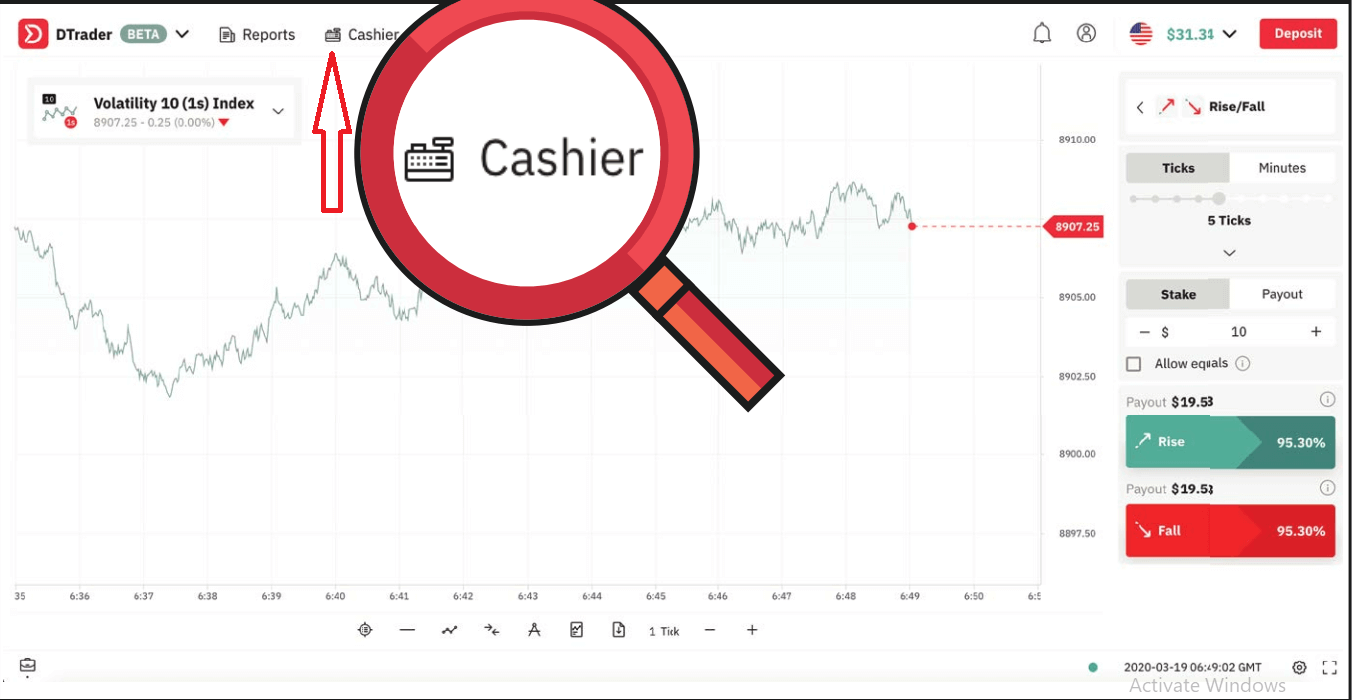
2. Click on Deposit and select FasaPay
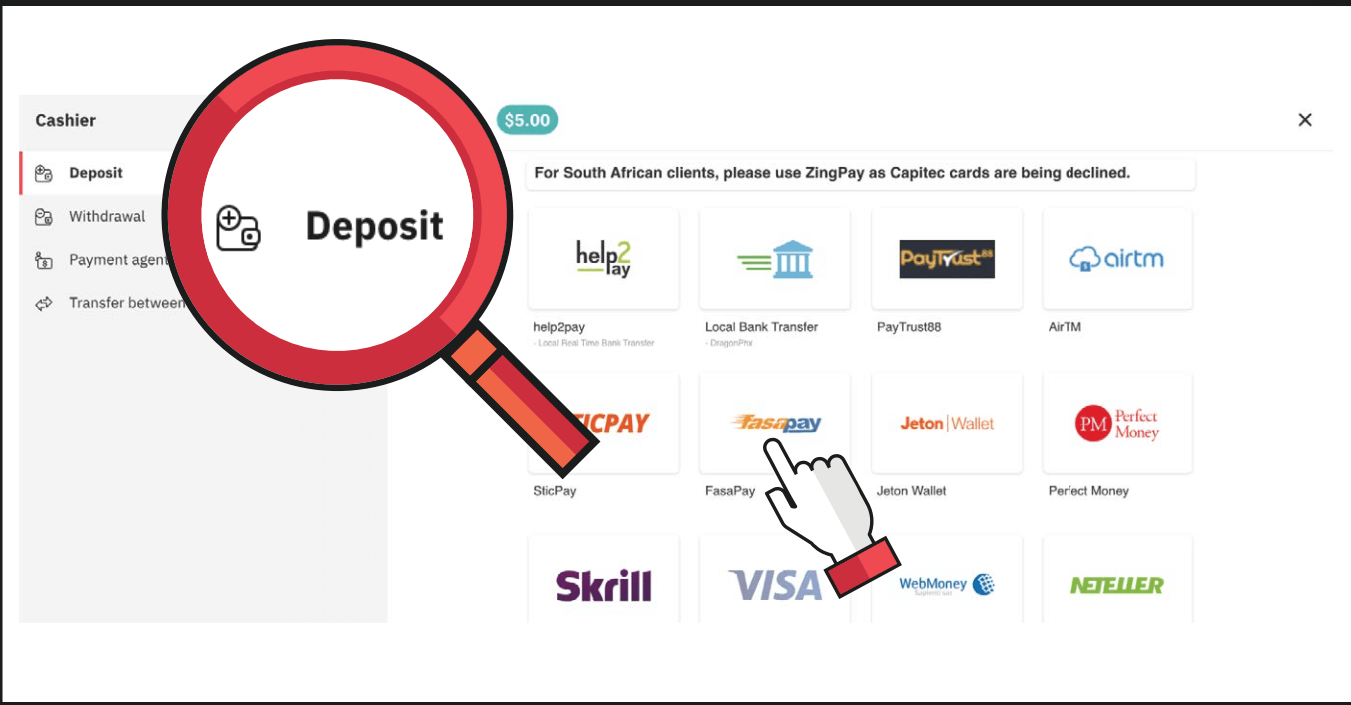
3. Enter the amount you wish to deposit and your FasaPay account ID, then click on Next
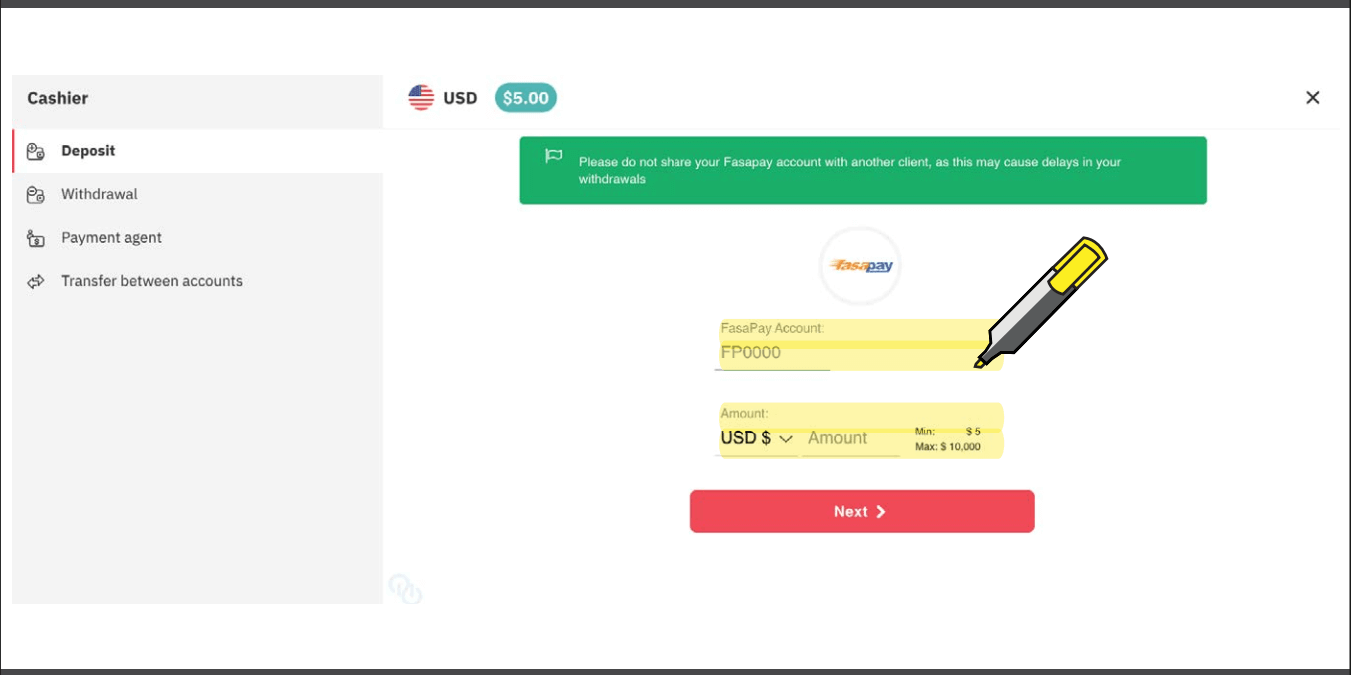
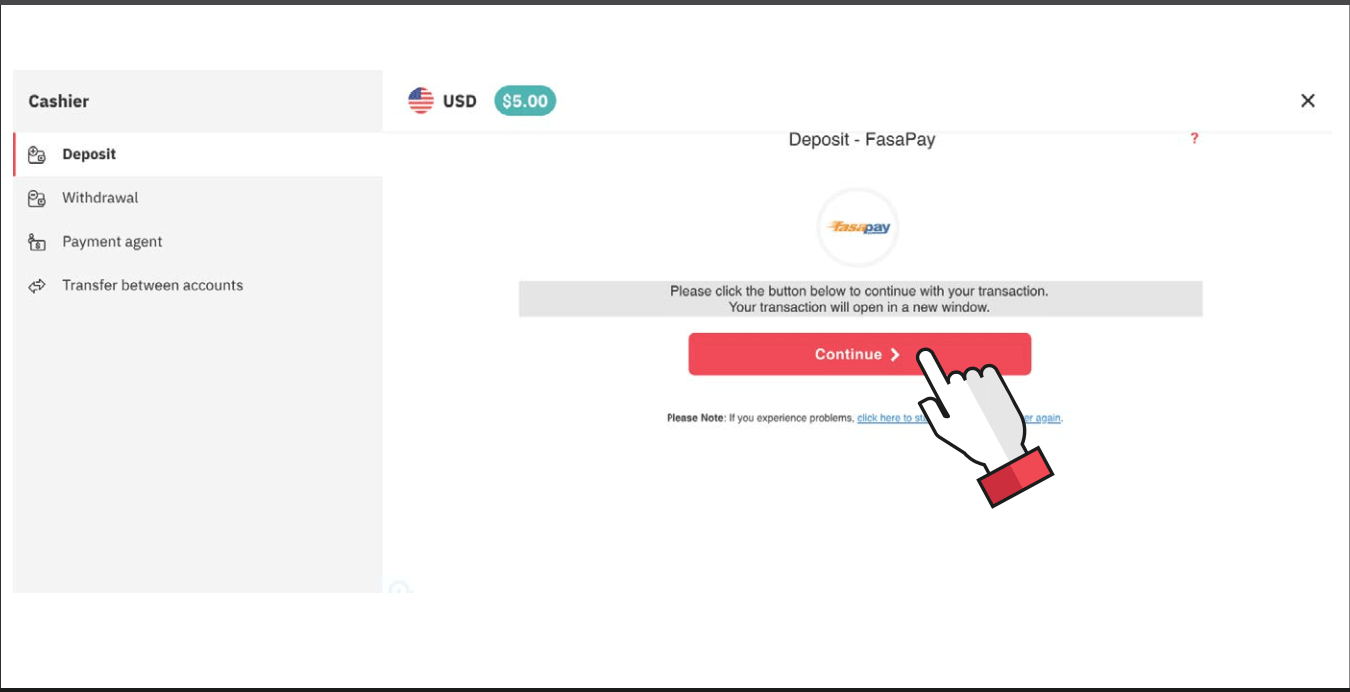
4. Click on Continue. Your transaction will open in a new window.
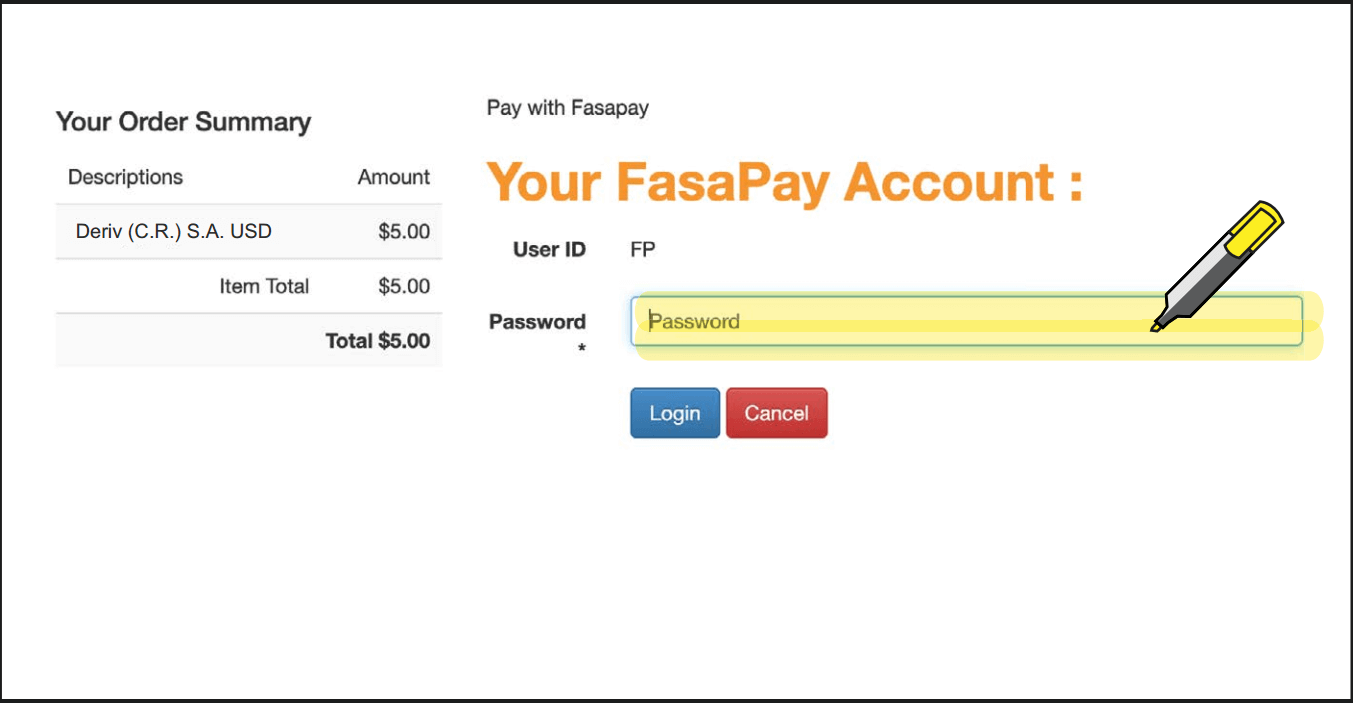
5. Enter your FasaPay account credentials.
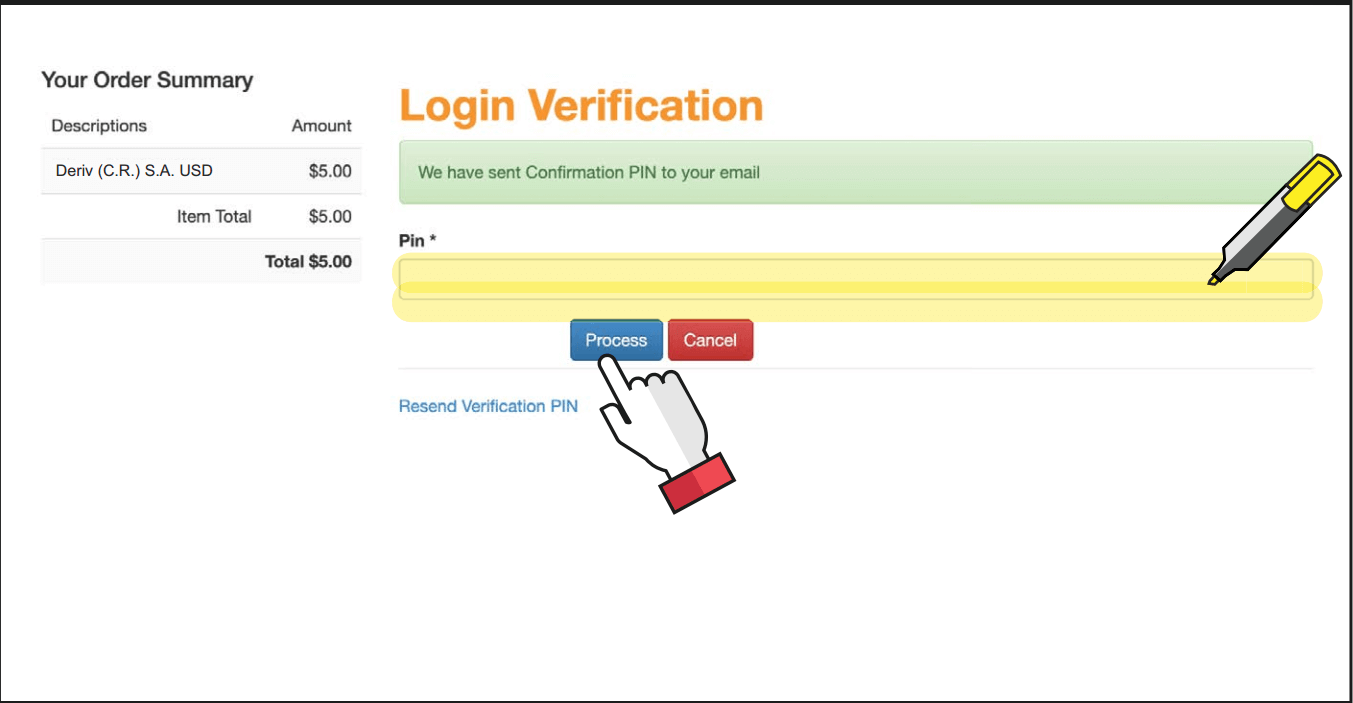
6. You will receive a confirmation PIN in your email to log in to your FasaPay account.
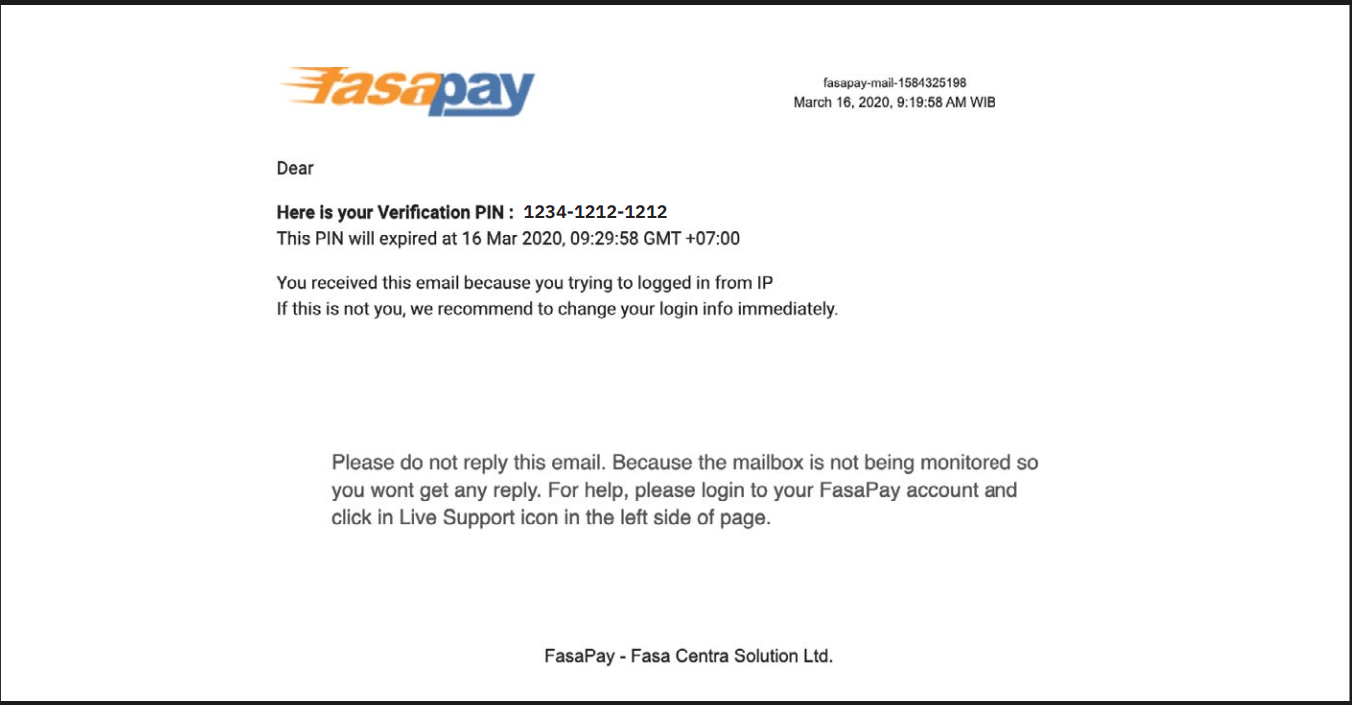
7. Enter the PIN from the email and click on Process
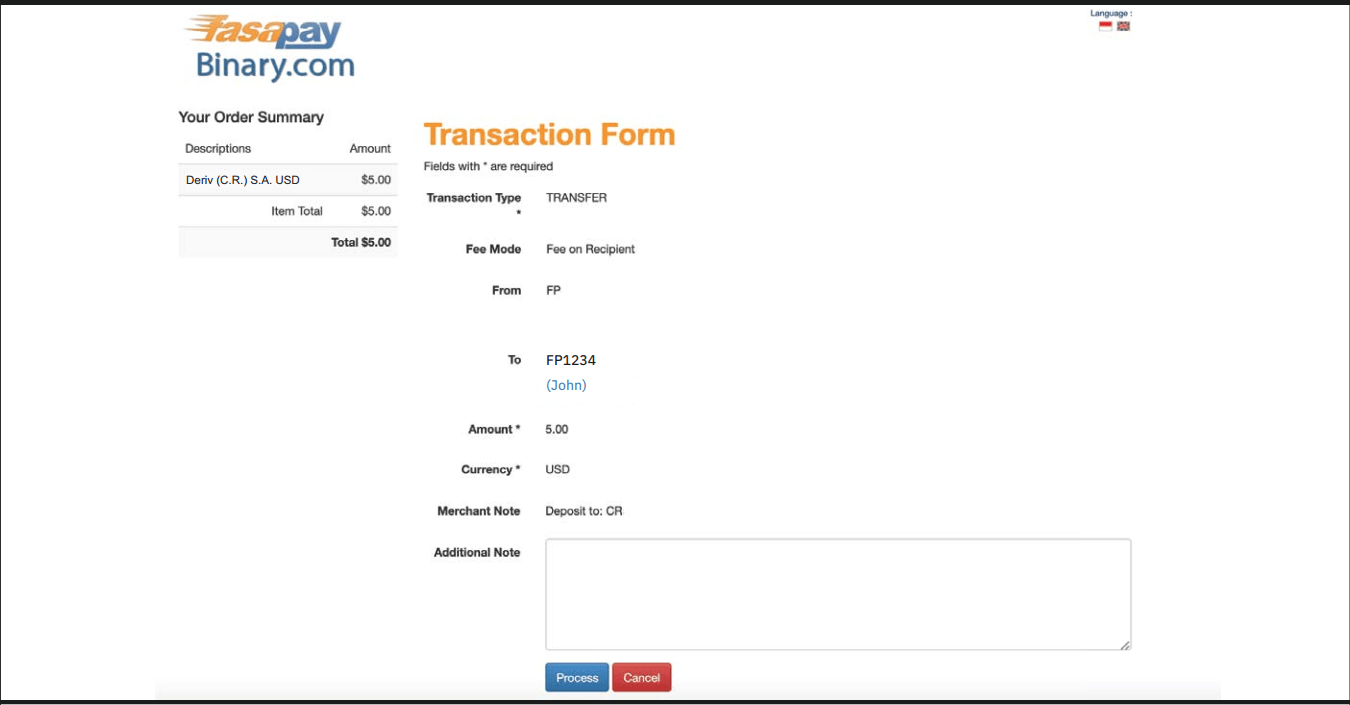
8. Review the transaction form and click on Process.
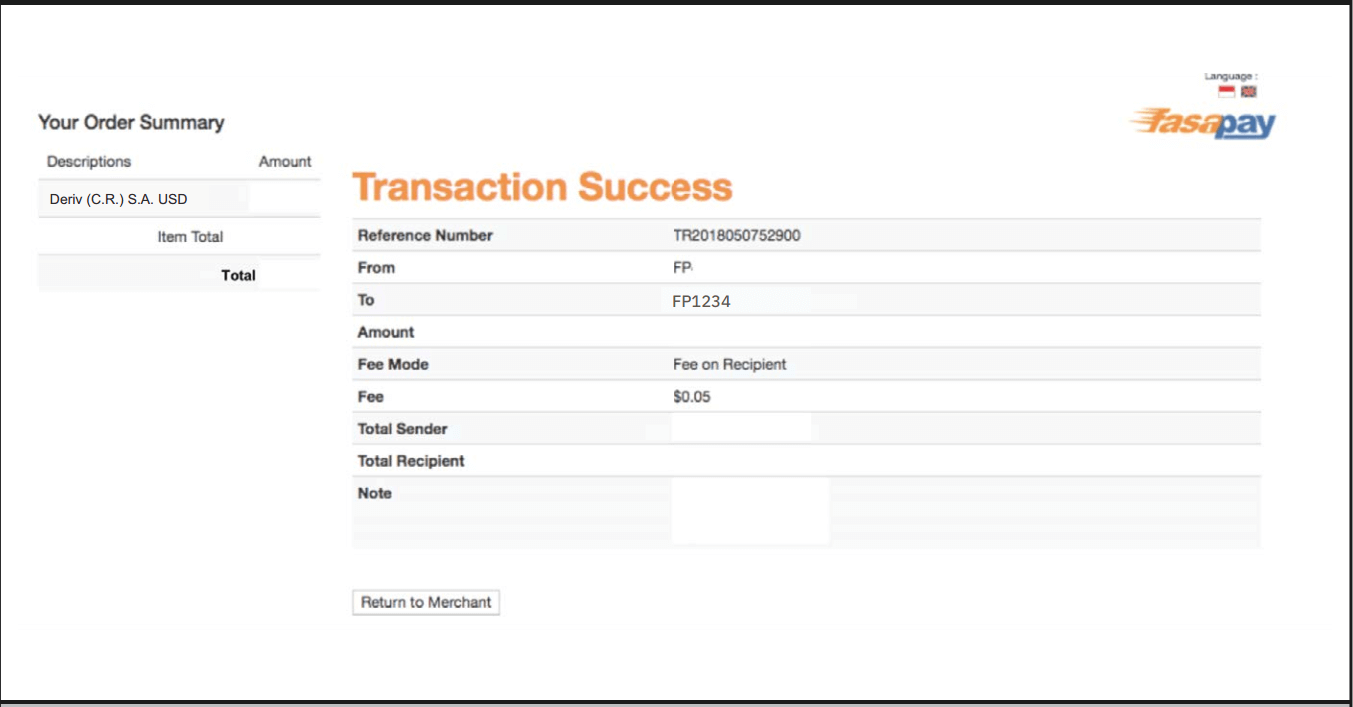
9. You will receive a confirmation message in your FasaPay account for your successful deposit.
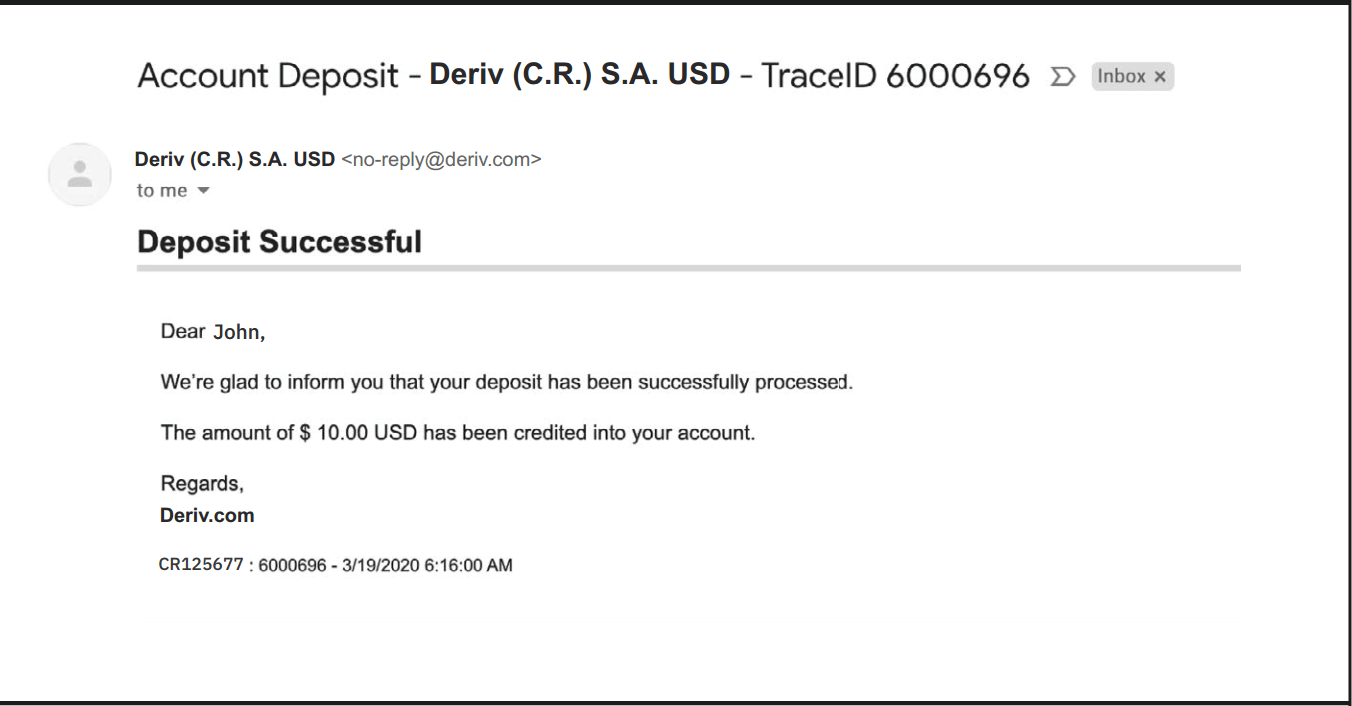
10. You will also receive an email from Deriv for your successful deposit.
Deposit using Bitcoin (BTC)
Processing time
- Funds available as soon as confirmed
Min deposit
- No minimum
1. Log in to your Deriv BTC account and click on Cashier.
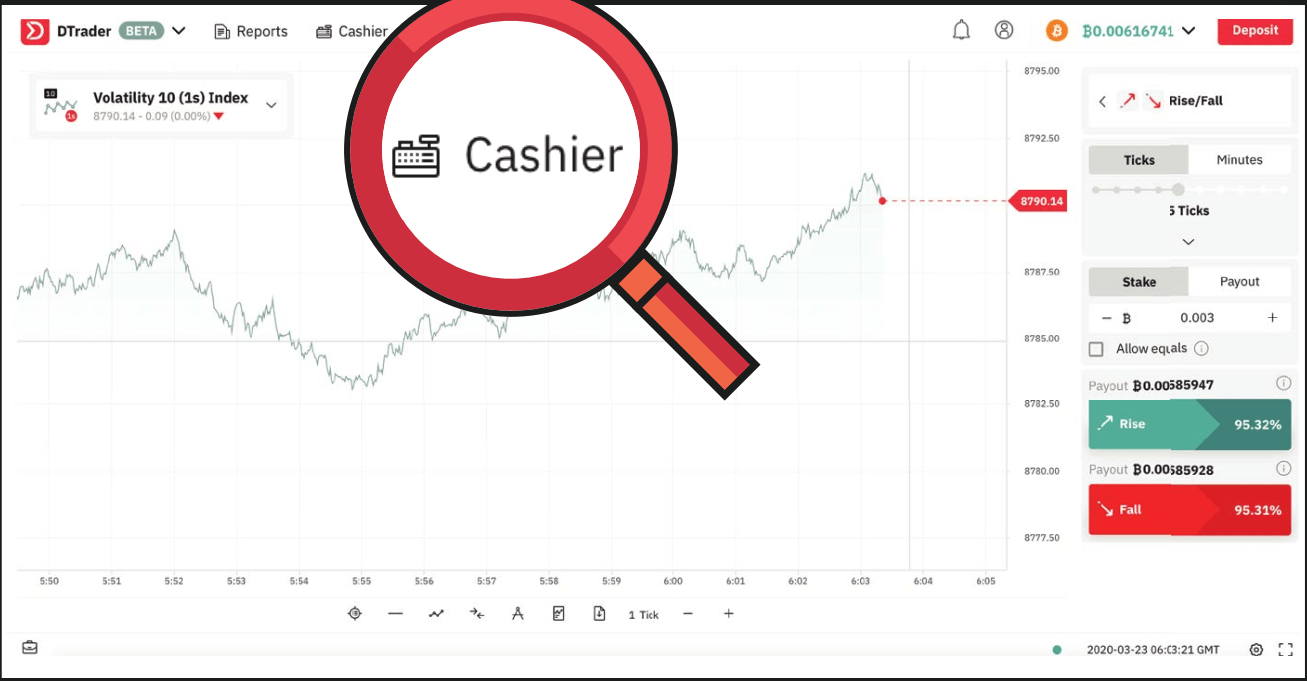
2. Select Deposit and copy your BTC wallet address.
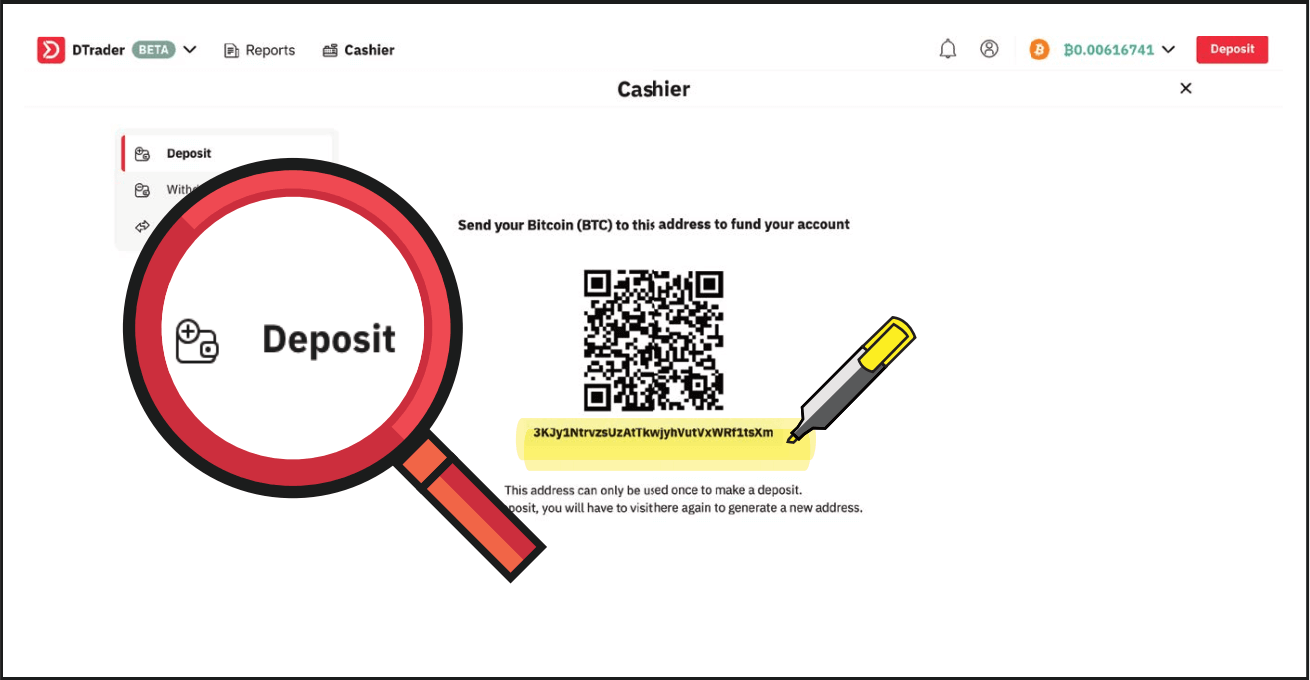
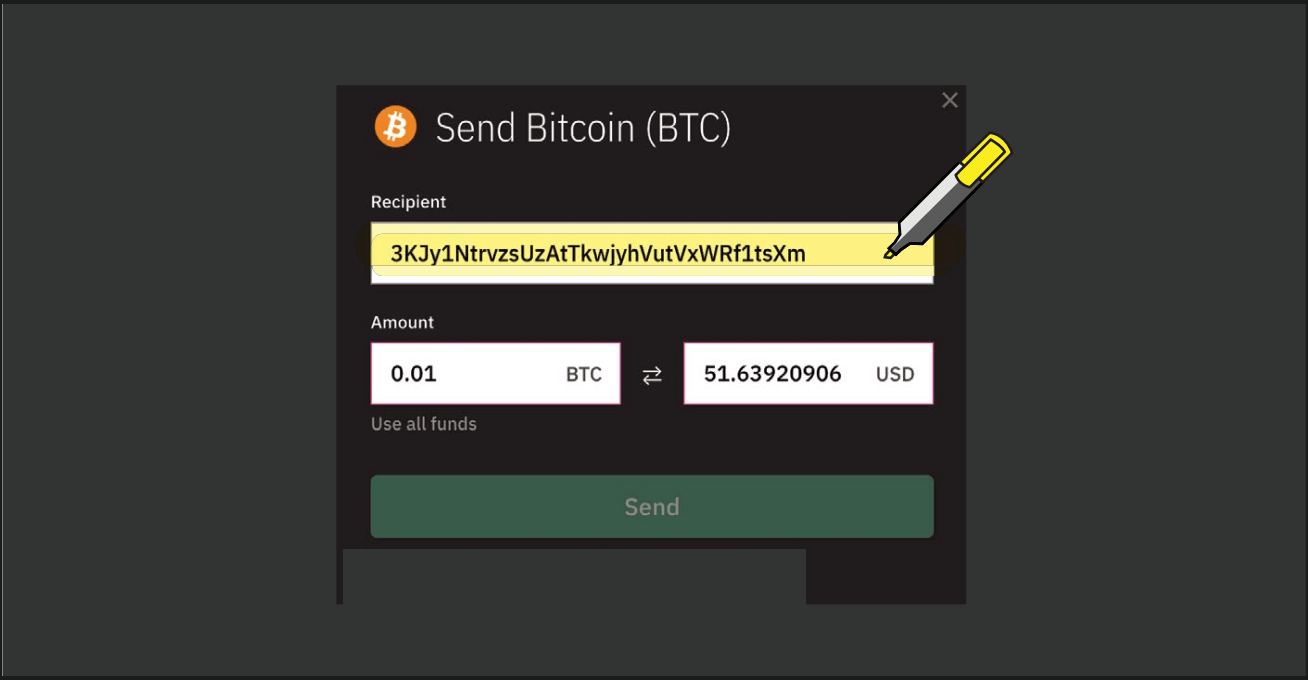
3. Paste your BTC wallet address into your blockchain wallet as shown below.
4. You will then see the transaction as pending. Your funds will be available in your BTC account as soon as confirmed.
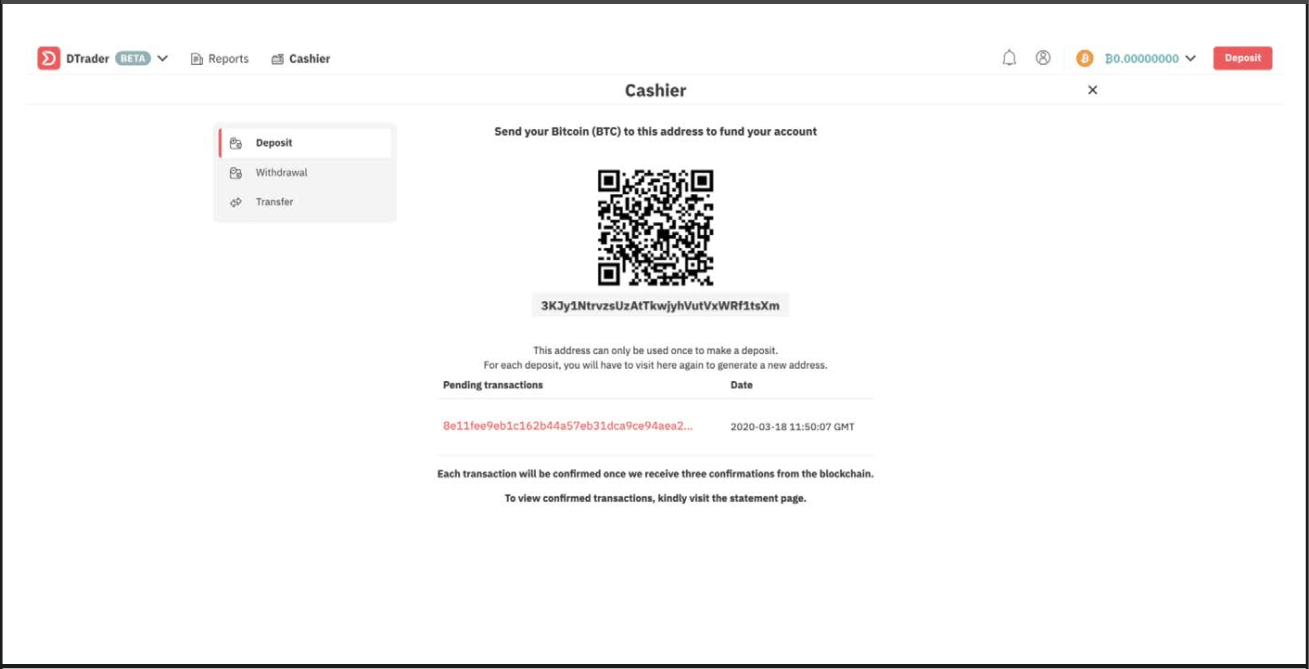
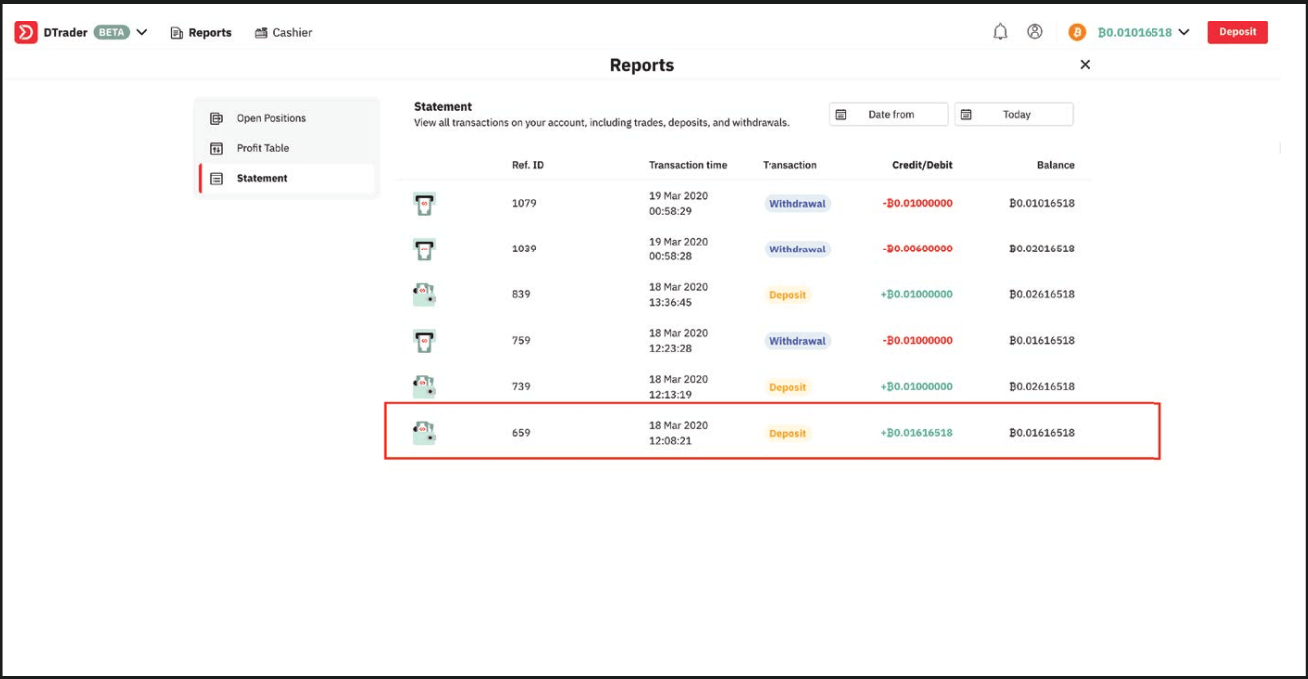
5. You can view the successful deposit in your Deriv account statement.
FAQ of Deposit
How long does it take to process deposits?
Your deposits and withdrawals will be processed within one business day (Monday to Friday, 9:00 am–5:00 pm GMT+8) unless stated otherwise. Please note that your bank or money transfer service may require additional time to process your request.
Why does my credit card deposit keep getting declined?
This usually happens to clients who are depositing with us for the first time using their credit card. Please ask your bank to authorise transactions with Deriv.
How can I deposit funds into my DMT5/Deriv X real money account?
To deposit funds into your MT5/ Deriv X account on Deriv, you’ll need to use the funds in your Deriv account. Go to Cashier Transfer between accounts and follow the instructions on the screen.
Transfers are instant. Once you’ve completed all the steps, your DMT5 account balance will be updated immediately.
What is the minimum / maximum I can deposit into my Deriv X account?
There is no minimum deposit. You can make a maximum deposit of USD2,500 twelve times a day.