Deriv Deposit

Need to fund a Deriv trading account but unsure which payment option, minimums or processing times apply? Choosing the wrong method can delay trading access or trigger holds, so it helps to know which wallets, cards, bank transfers and cryptocurrencies the platform accepts, how long each route usually takes, and when verification or provider rules may affect your transfer.

Before starting a deposit, confirm your account verification level, select the payment method that matches your account currency, and review any method-specific limits or fees. This article explains the common deposit channels, typical processing timelines, troubleshooting steps for failed transfers, and practical tips to reduce delays so you can add funds with confidence and meet platform requirements without surprises.

Deriv Deposit


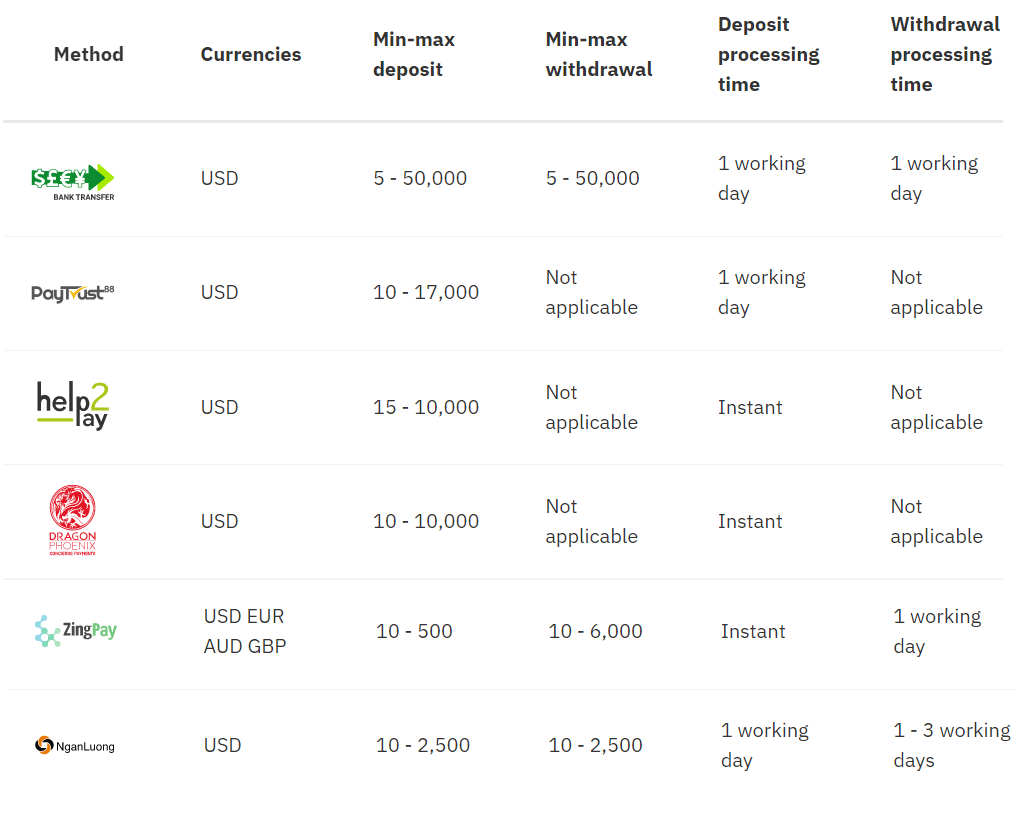
Deposit Method


Online Banking

Deriv Deposit: Methods, Limits & Processing Times

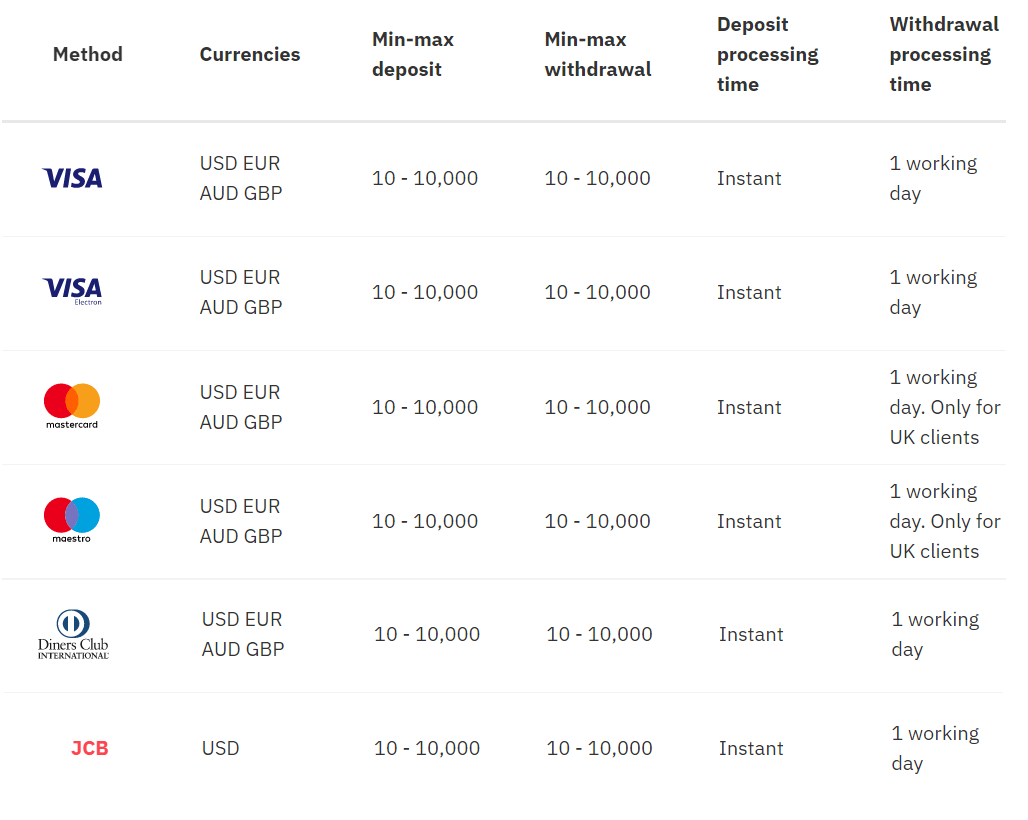
Credit/debit cards

Deriv Deposit: Methods, Limits & Processing Times

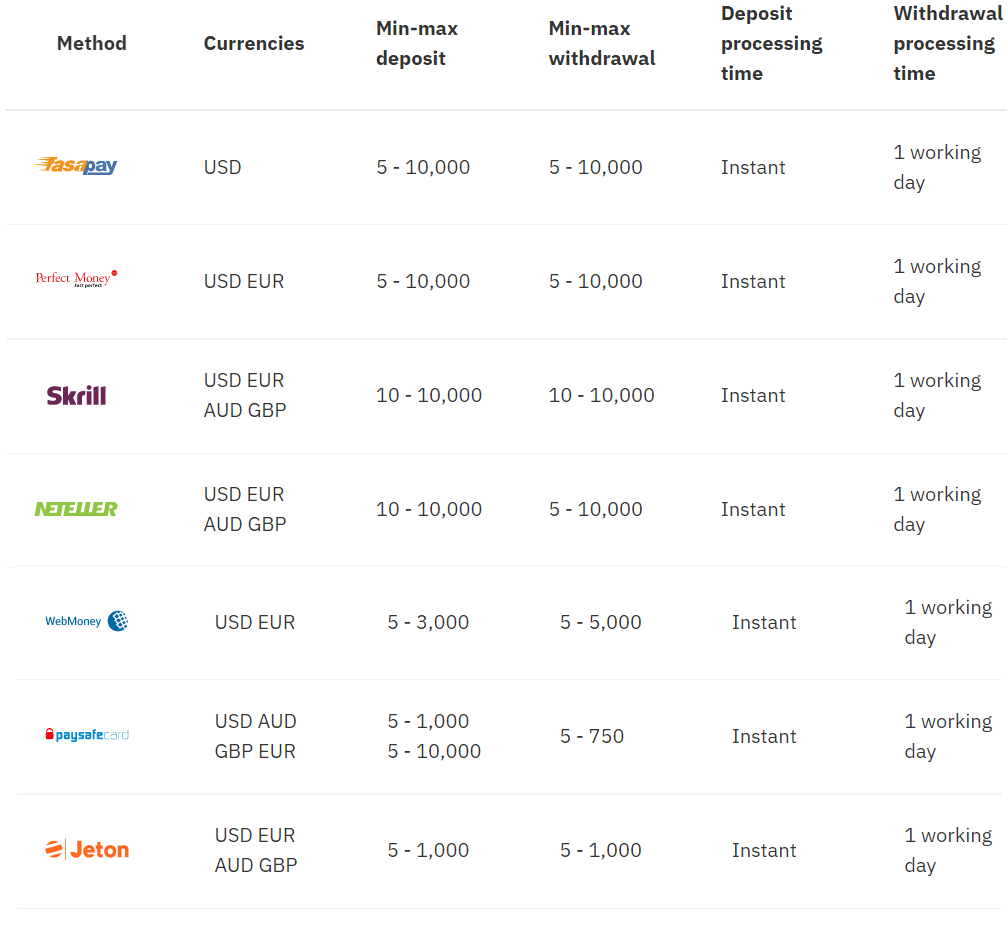
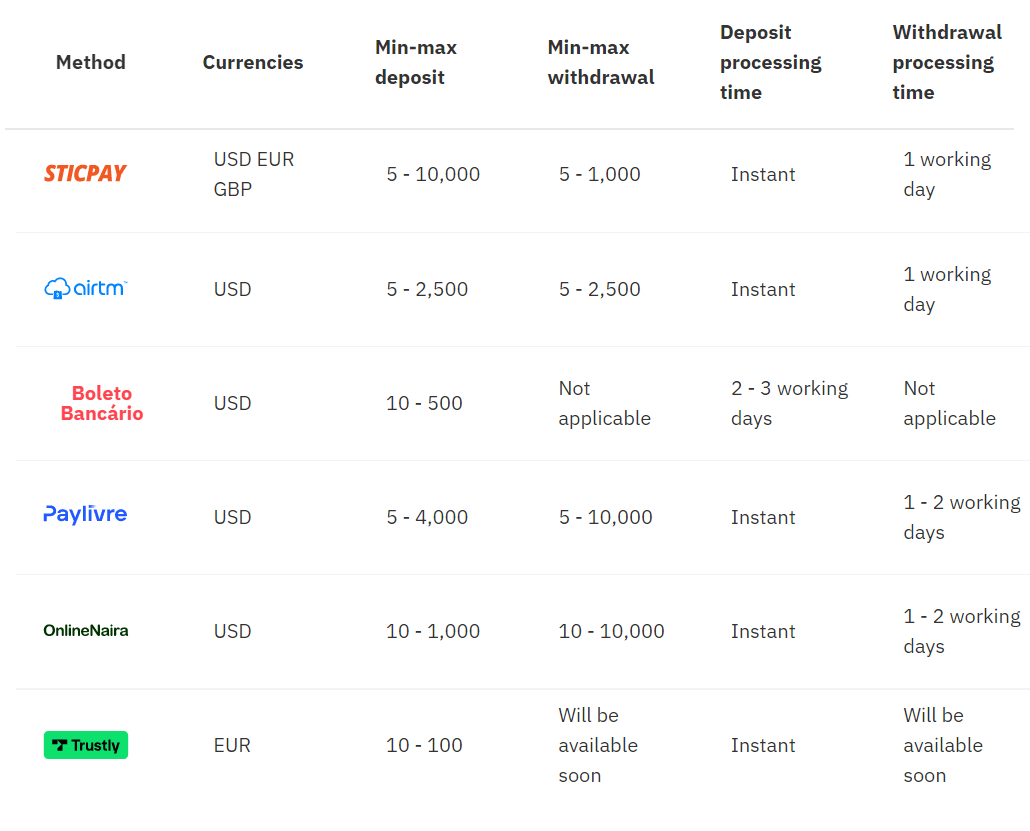
E-wallets

Deriv Deposit: Methods, Limits & Processing Times

Deriv Deposit: Methods, Limits & Processing Times

Cryptocurrencies

Deriv Deposit: Methods, Limits & Processing Times

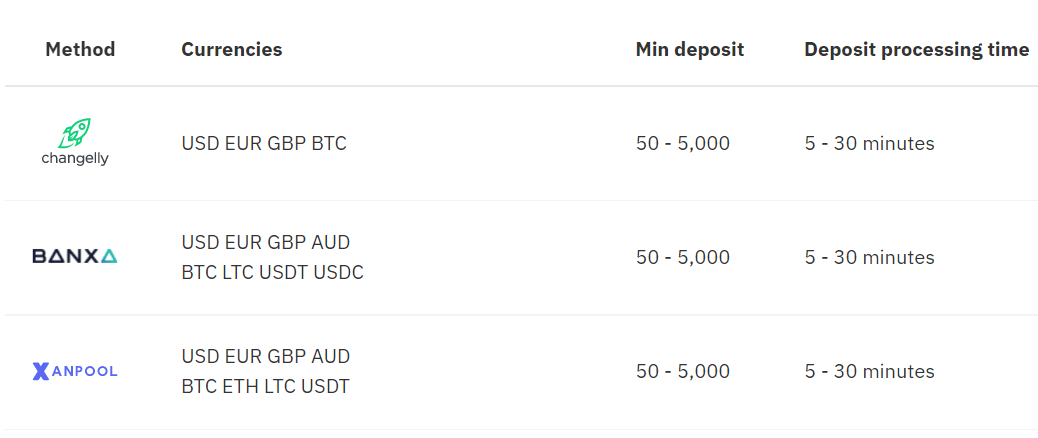
Fiat onramp - Buy crypto on popular exchanges
Deriv Deposit: Methods, Limits & Processing Times

Deposit using Visa credit or Debit card

Currencies

  • USD, GBP, EUR, and AUD
Processing time
  • Deposits: Instant
Min-max deposit
  • 10-10,000
 

* Min and max amounts apply to USD, GBP, EUR, and AUD.


1. Log in to your Deriv account and click on Cashier
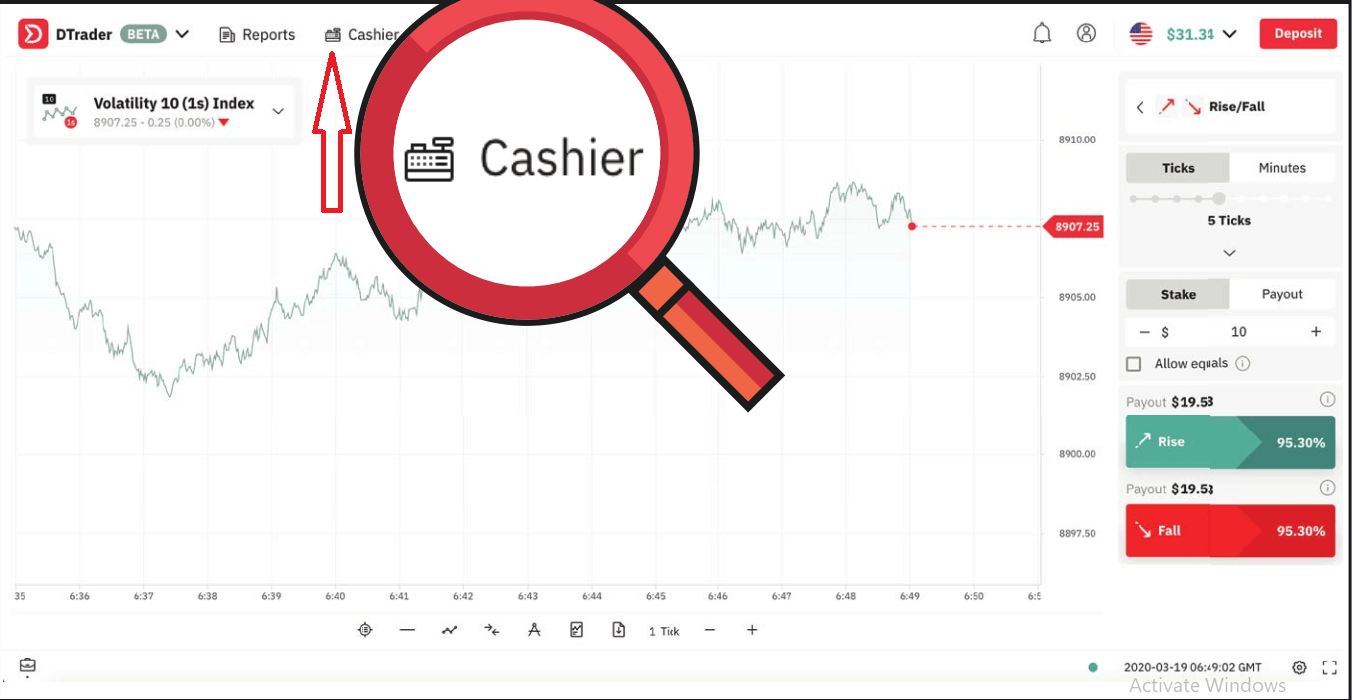
Deriv Deposit: Methods, Limits & Processing Times
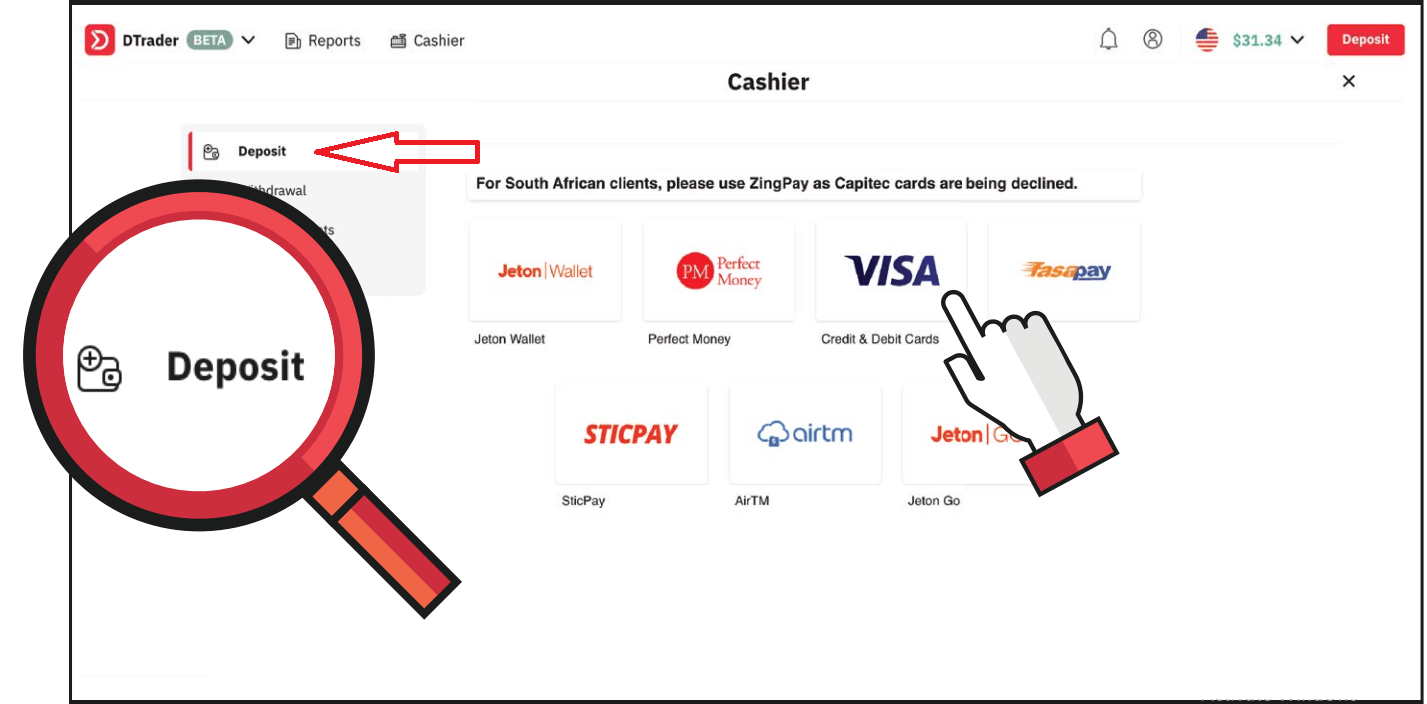
2. Click on Deposit and select VISA
Deriv Deposit: Methods, Limits & Processing Times
3. Enter your card credentials and the amount you wish to deposit. Then click Deposit now
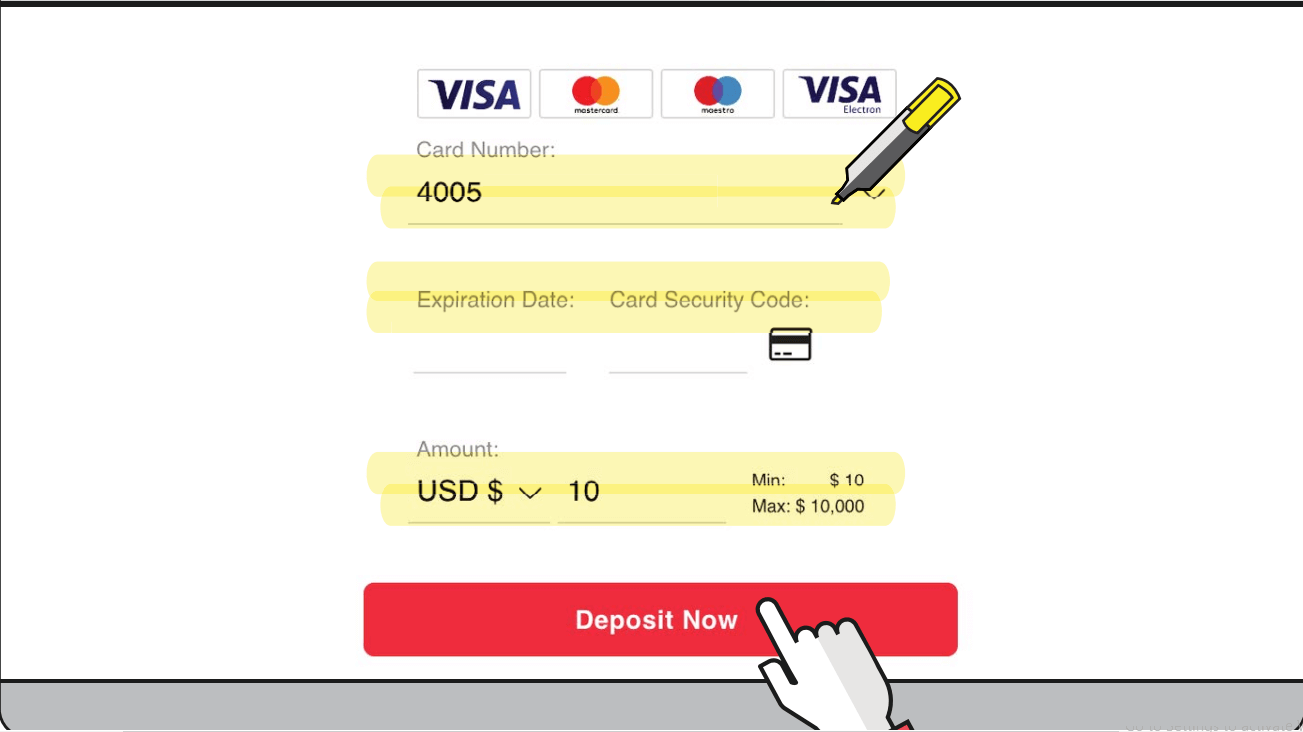
Deriv Deposit: Methods, Limits & Processing Times
4. Once done, you will receive a confirmation of the approved transaction.
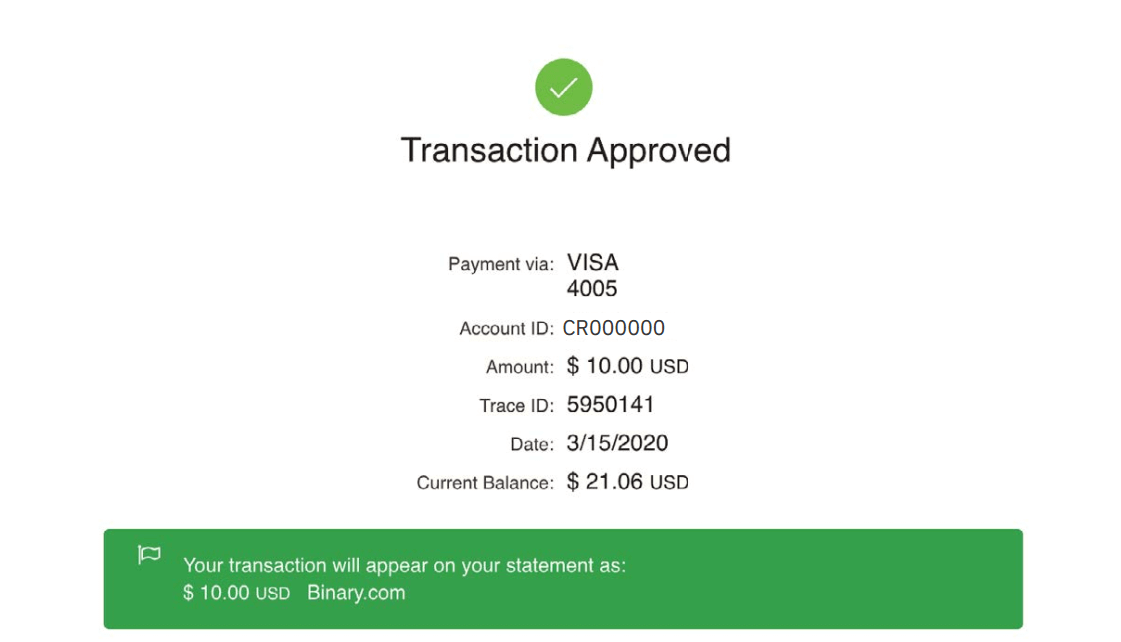
Deriv Deposit: Methods, Limits & Processing Times
5. You will also receive an email confirmation of the successful deposit
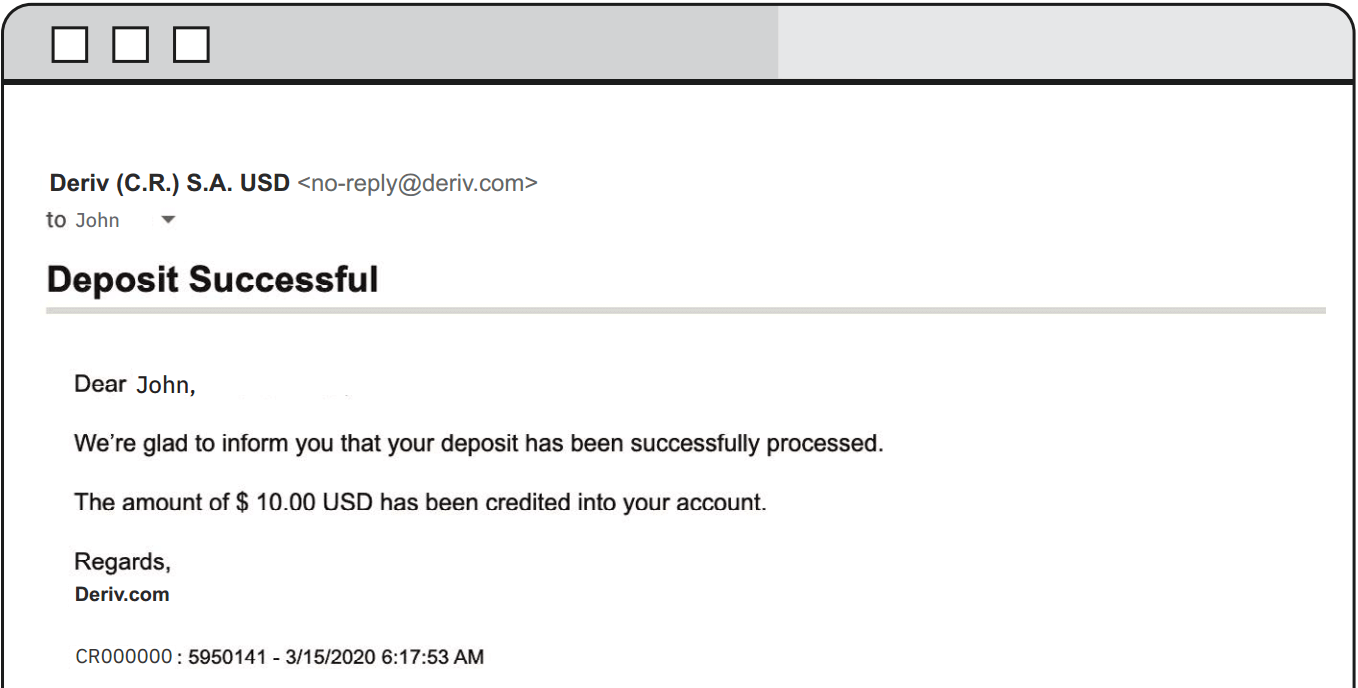
Deriv Deposit: Methods, Limits & Processing Times

Deposit using FasaPay

Currencies

  • USD
Processing time
  • Deposits: Instant
Min-max deposit
  • 5-10,000

1. Log in to your Deriv USD account and click on Cashier.
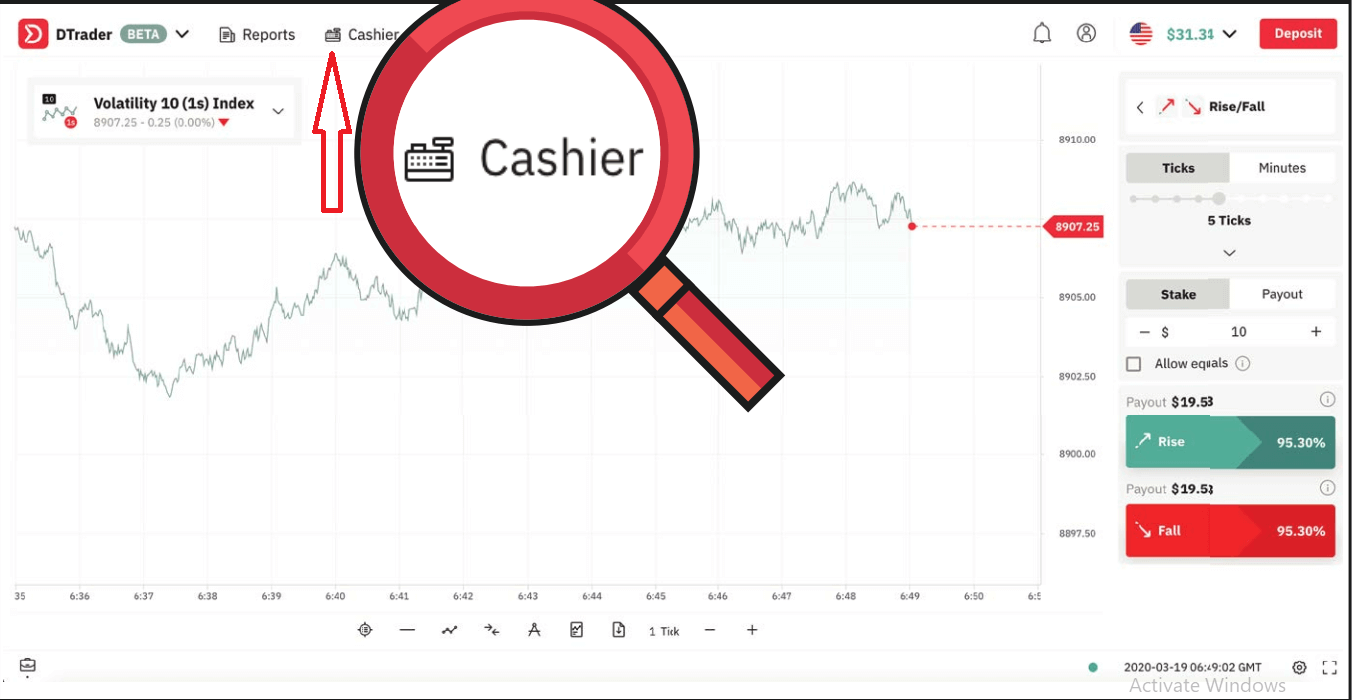
Deriv Deposit: Methods, Limits & Processing Times
2. Click on Deposit and select FasaPay
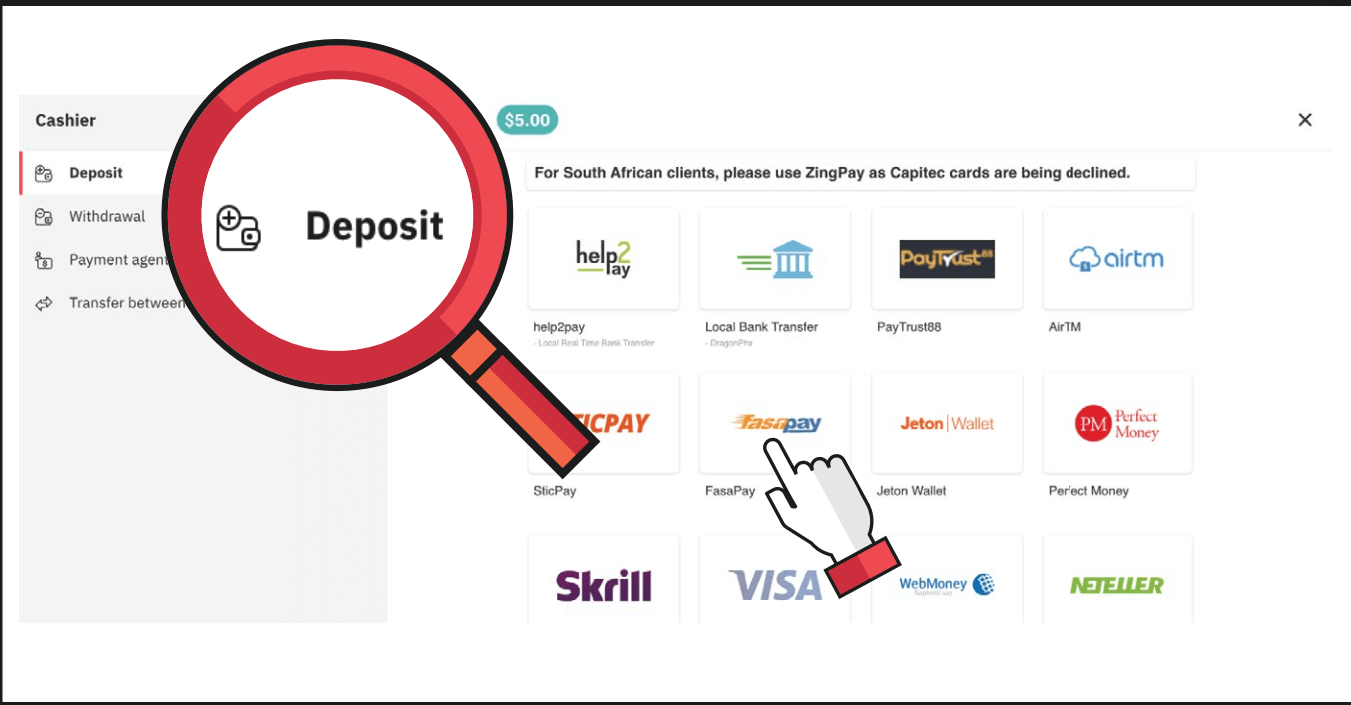
Deriv Deposit: Methods, Limits & Processing Times
3. Enter the amount you wish to deposit and your FasaPay account ID, then click on Next
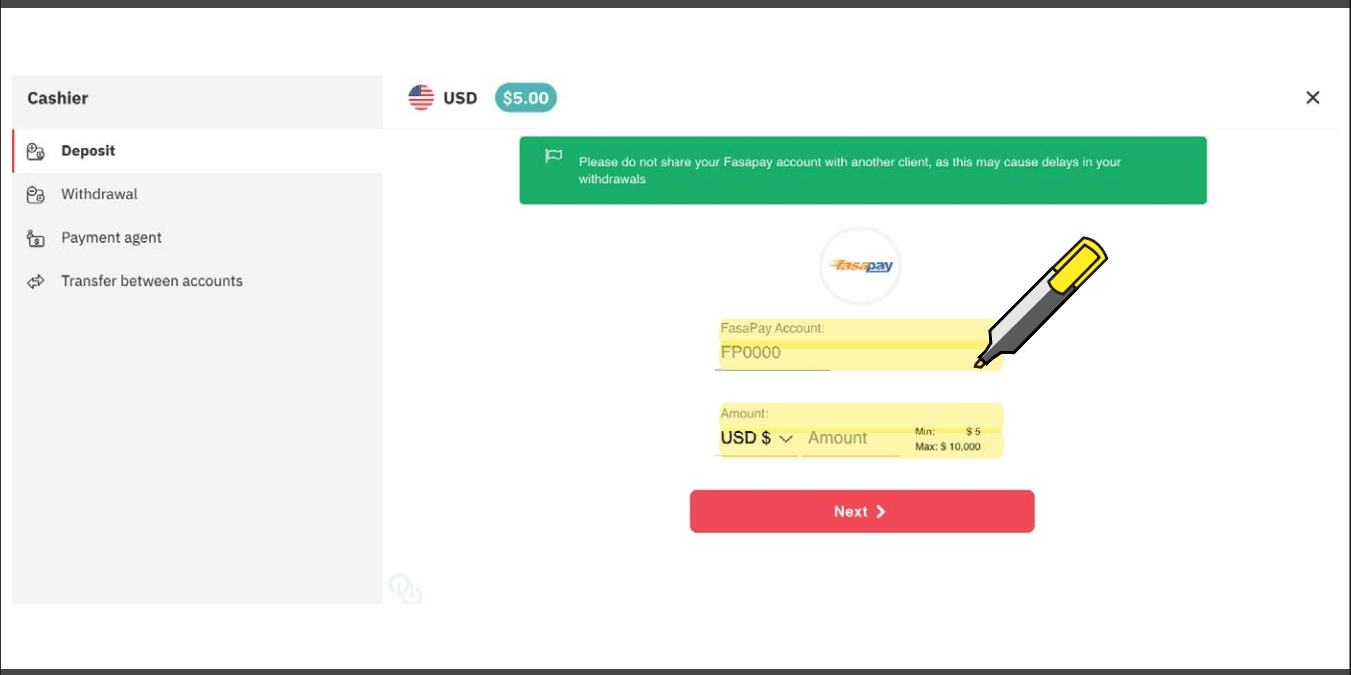
Deriv Deposit: Methods, Limits & Processing Times
4.
Click on Continue. Your transaction will open in a new window.
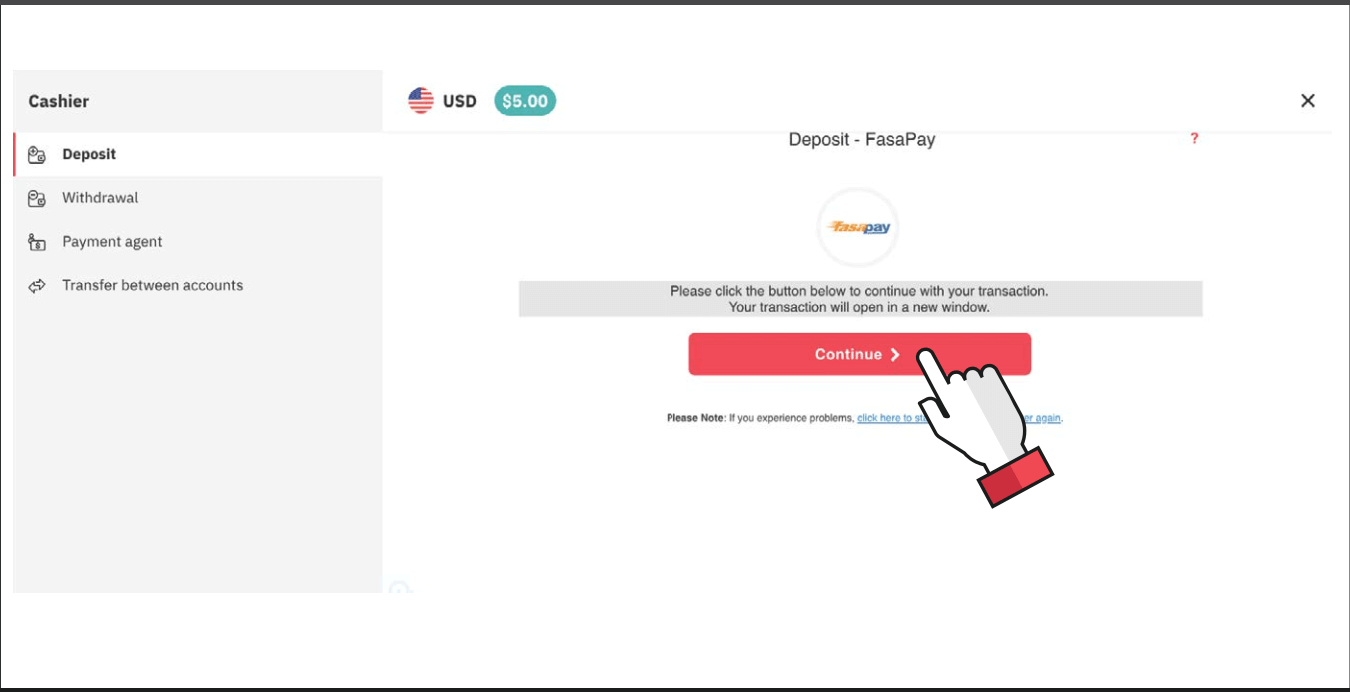
Deriv Deposit: Methods, Limits & Processing Times
5.
Enter your FasaPay account credentials.
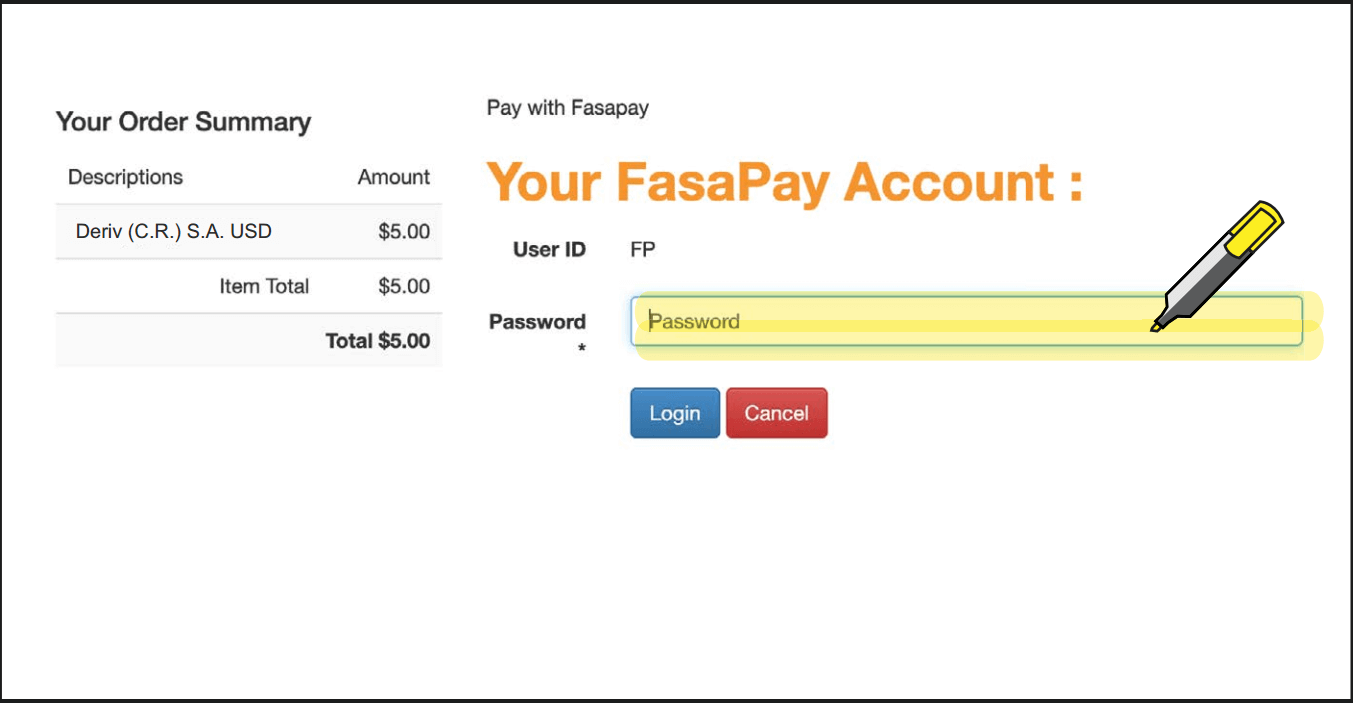
Deriv Deposit: Methods, Limits & Processing Times
6. You will receive a confirmation PIN in your email to log in to your FasaPay account.
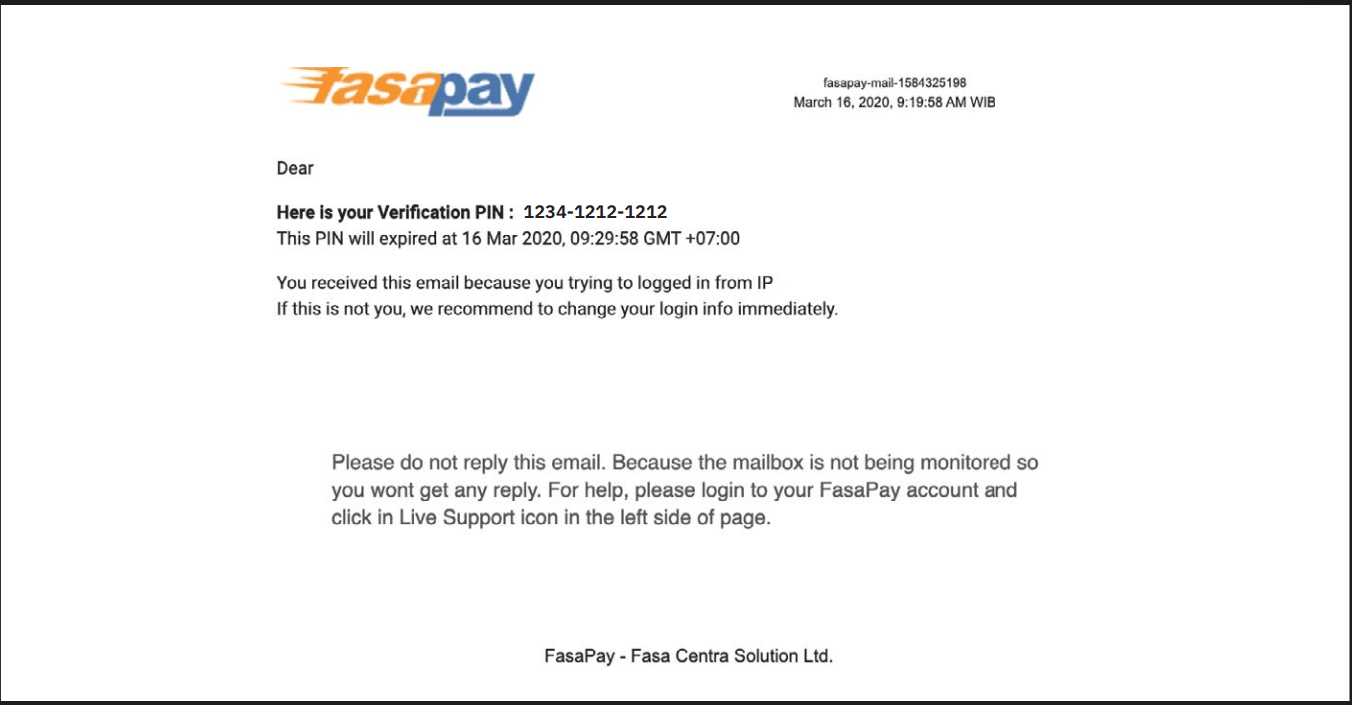
Deriv Deposit: Methods, Limits & Processing Times
7.
Enter the PIN from the email and click on Process
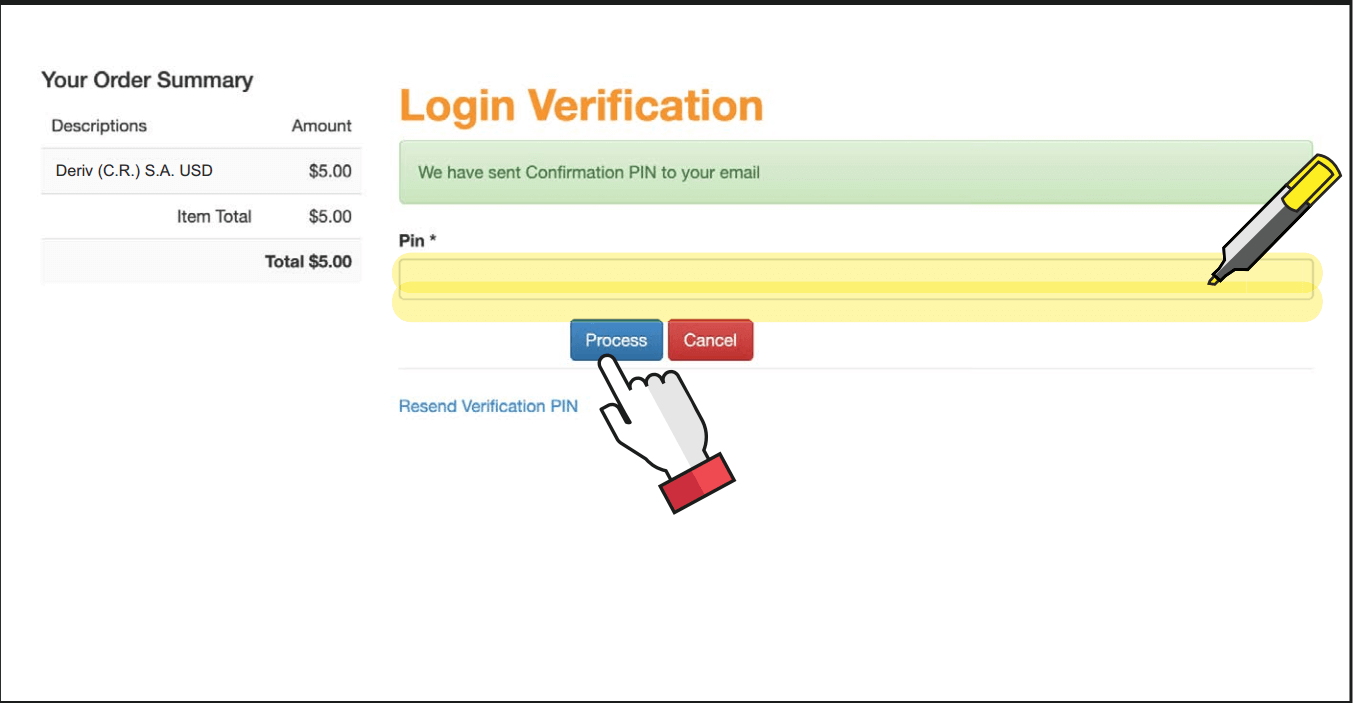
Deriv Deposit: Methods, Limits & Processing Times
8. Review the transaction form and click on Process.
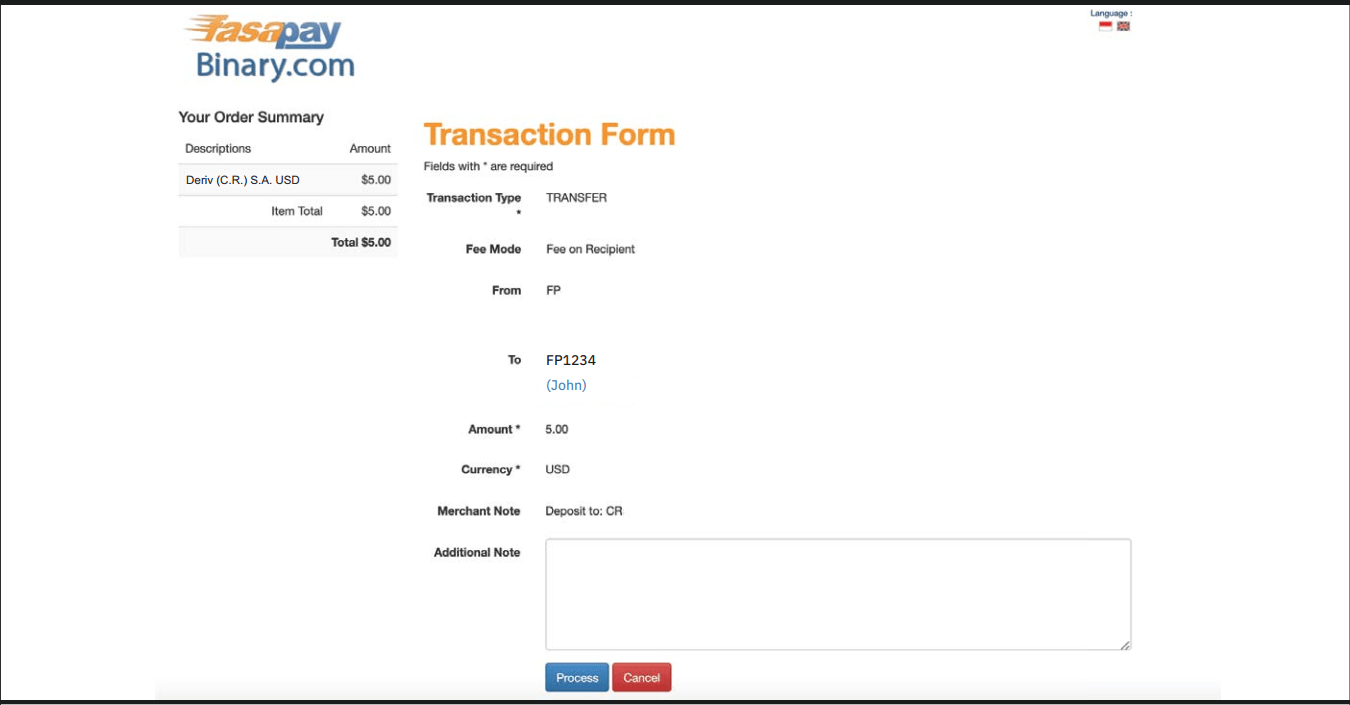
Deriv Deposit: Methods, Limits & Processing Times
9.
You will receive a confirmation message in your FasaPay account for your successful deposit.
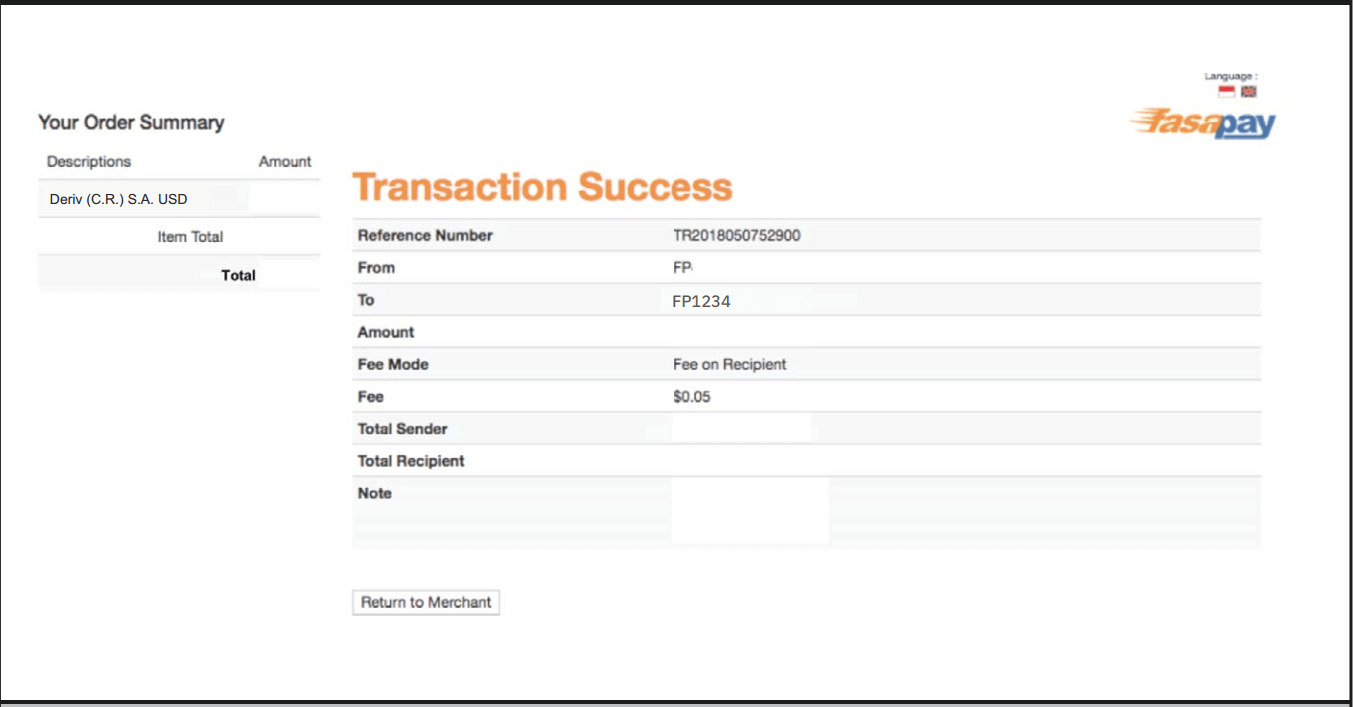
Deriv Deposit: Methods, Limits & Processing Times
10.
You will also receive an email from Deriv for your successful deposit.
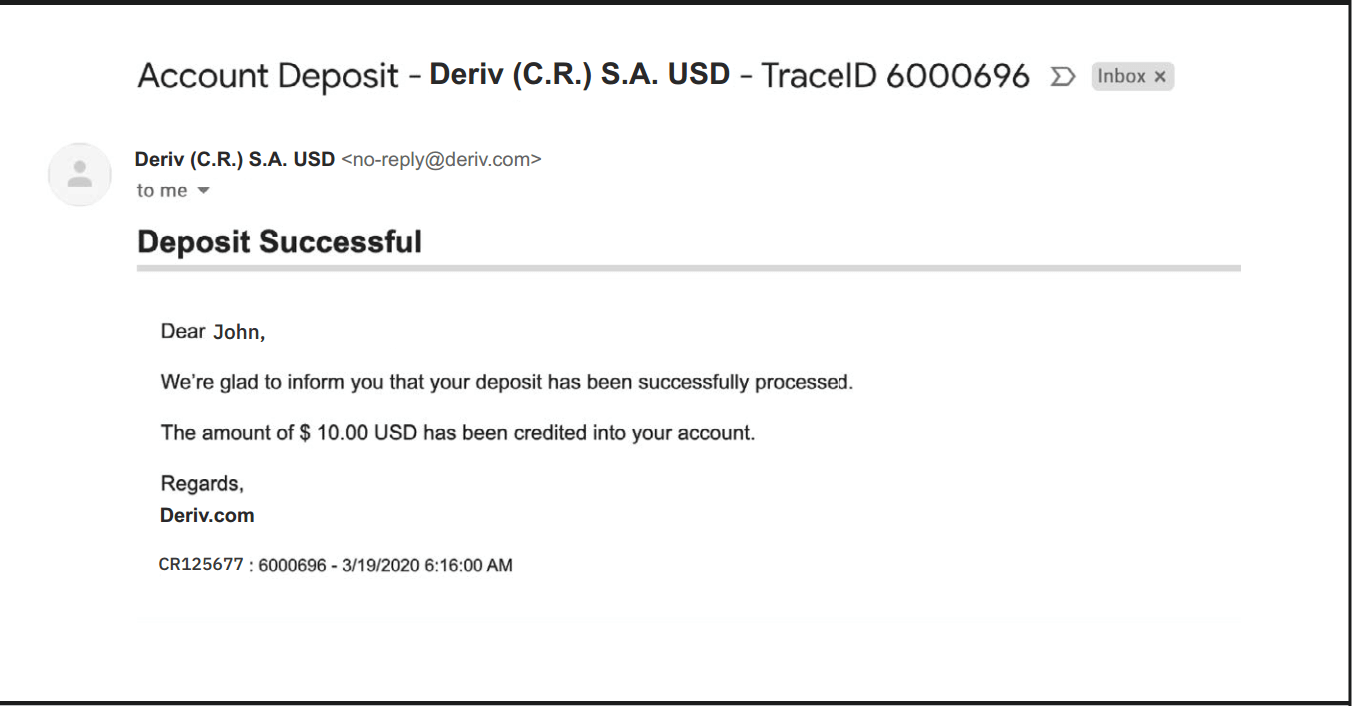
Deriv Deposit: Methods, Limits & Processing Times

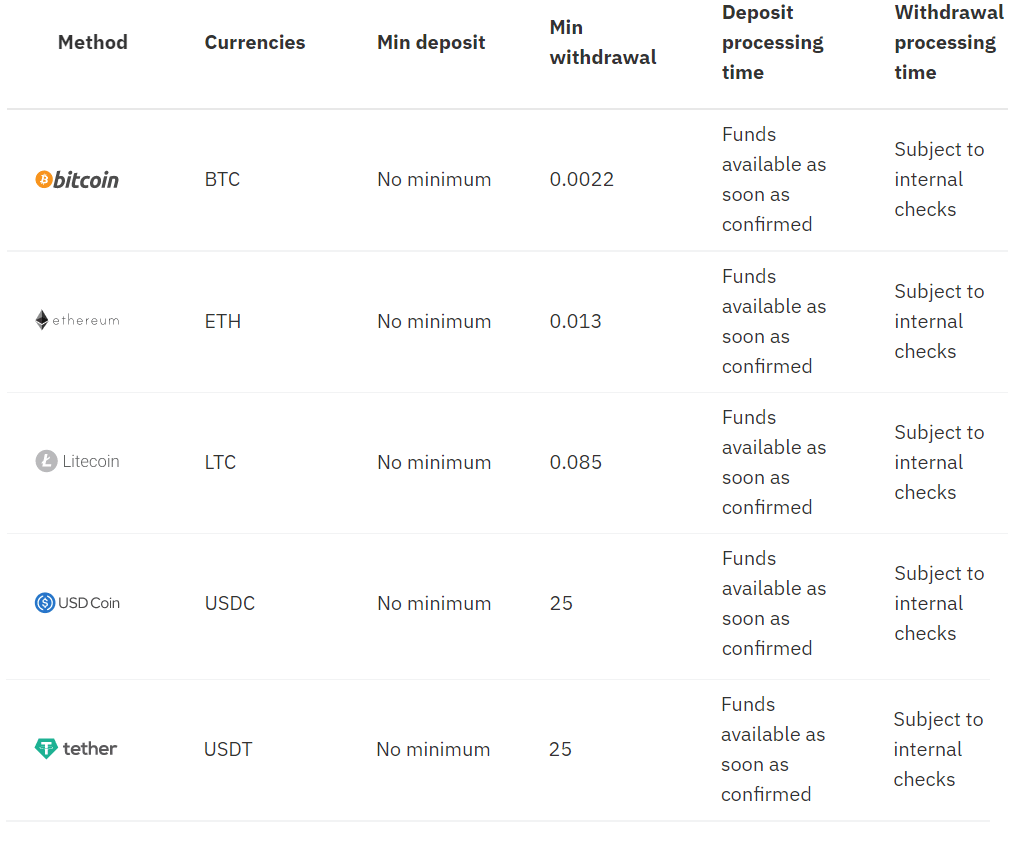
Deposit using Bitcoin (BTC)

Processing time

  • Funds available as soon as confirmed


Min deposit

  • No minimum

1. Log in to your Deriv BTC account and click on Cashier.
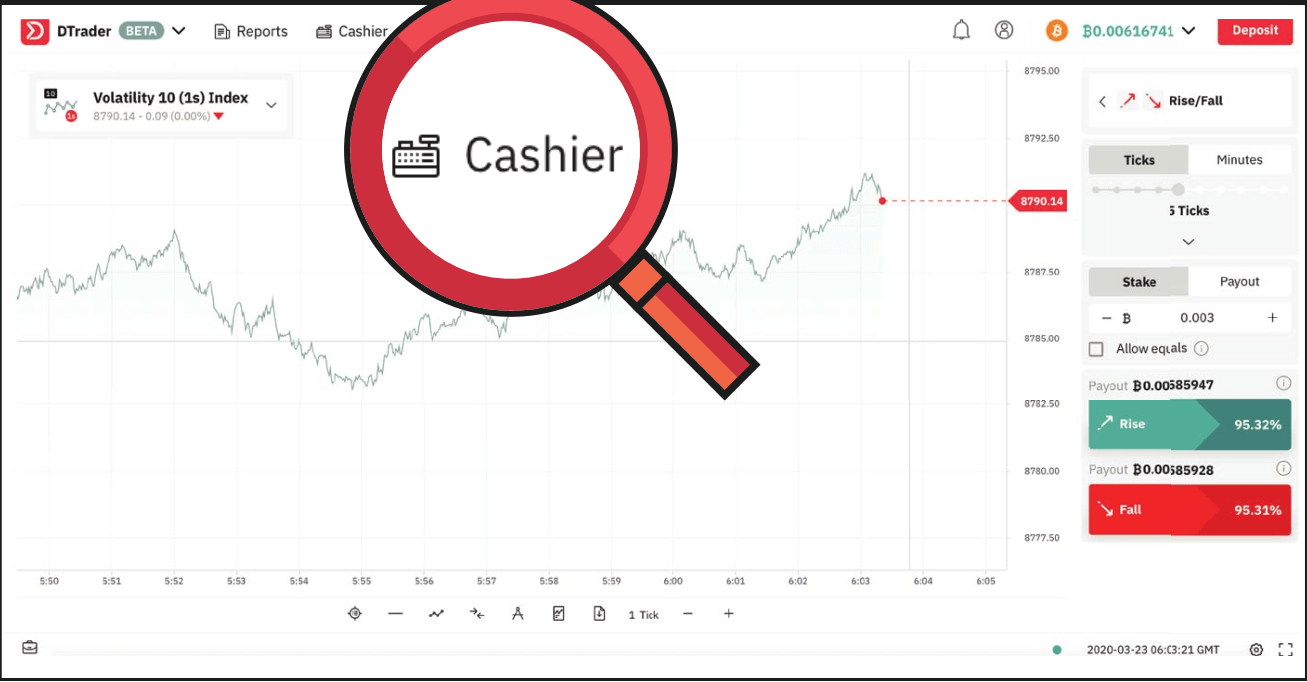
Deriv Deposit: Methods, Limits & Processing Times
2. Select Deposit and copy your BTC wallet address.
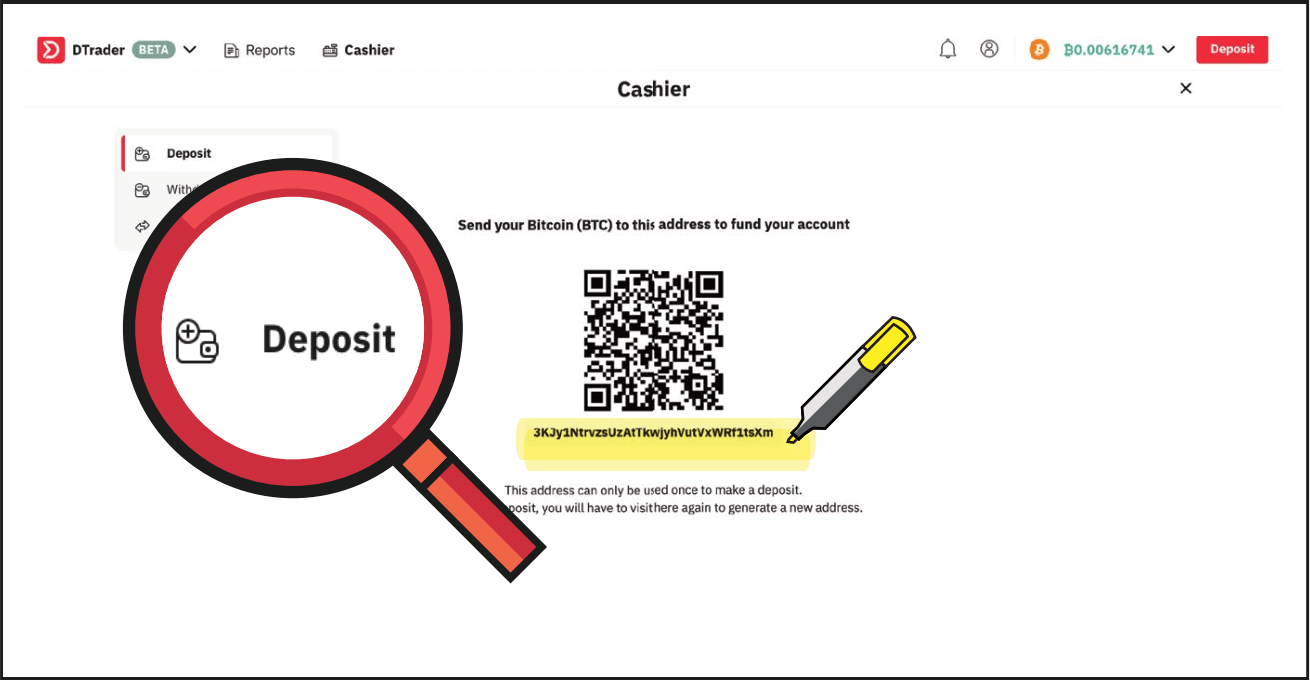
Deriv Deposit: Methods, Limits & Processing Times
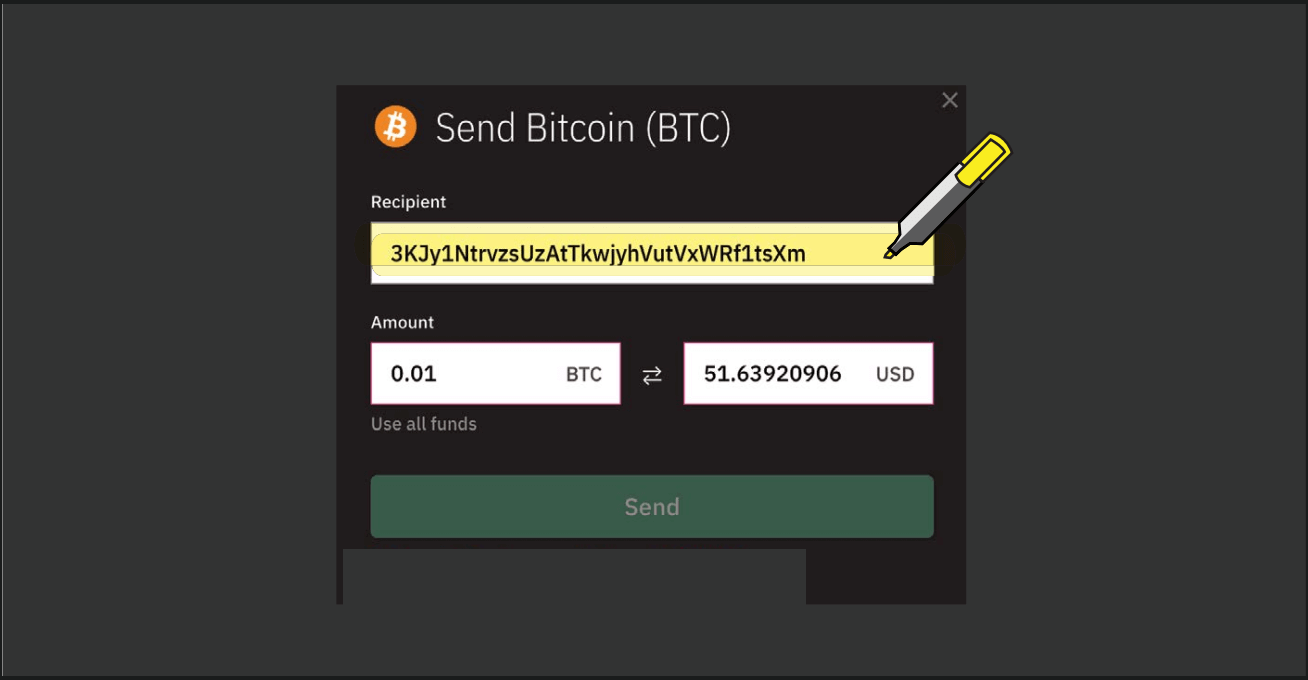
3.
Paste your BTC wallet address into your blockchain wallet as shown below.
Deriv Deposit: Methods, Limits & Processing Times
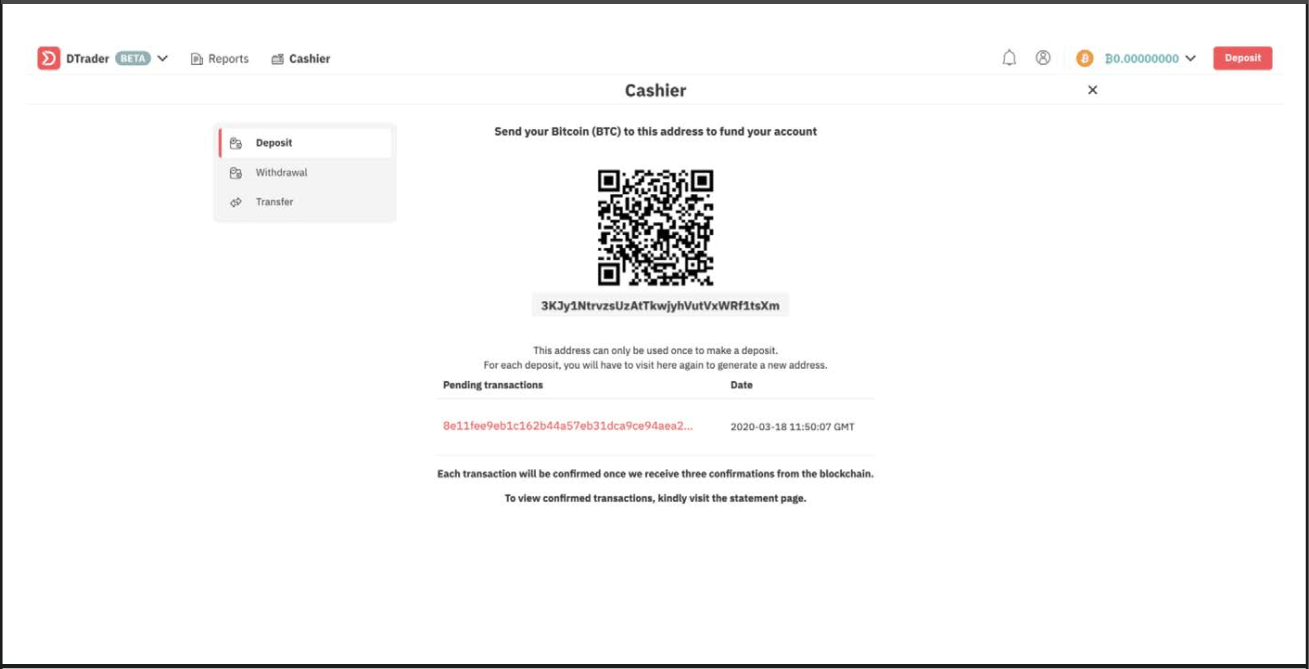
4.
You will then see the transaction as pending. Your funds will be available in your BTC account as soon as confirmed.
Deriv Deposit: Methods, Limits & Processing Times
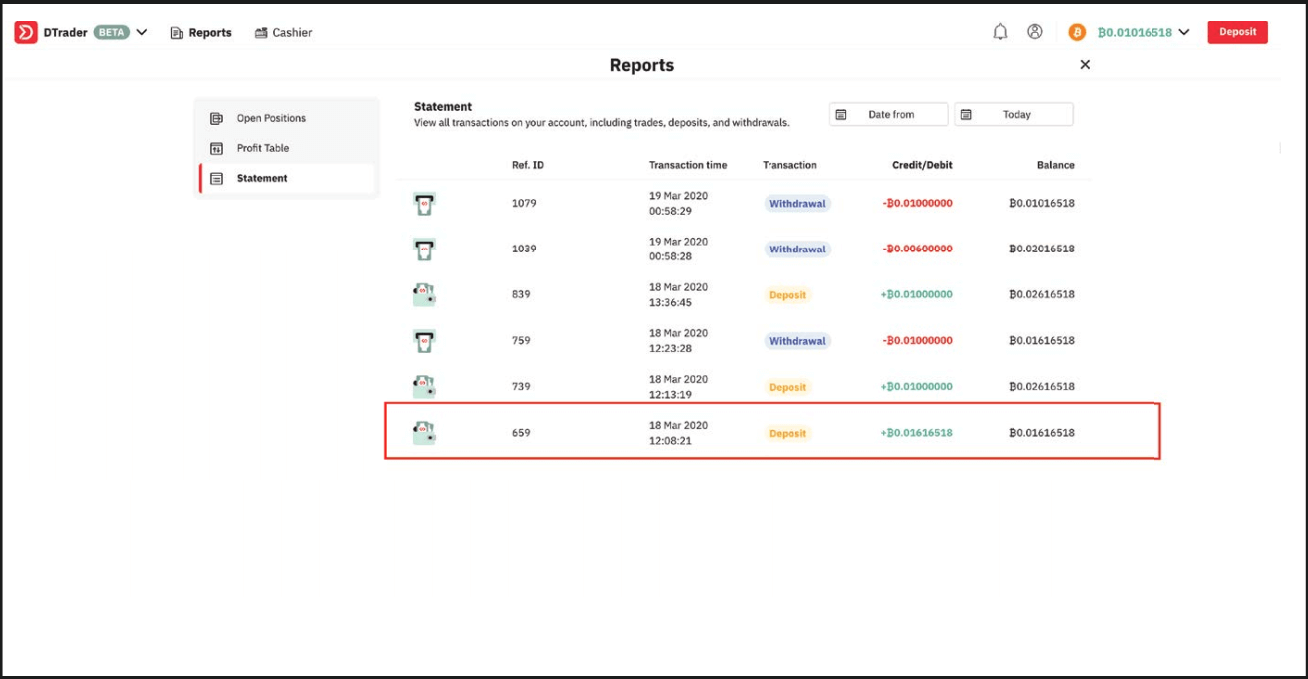
5.
You can view the successful deposit in your Deriv account statement.
Deriv Deposit: Methods, Limits & Processing Times


FAQ of Deposit


How long does it take to process deposits?

Your deposits and withdrawals will be processed within one business day (Monday to Friday, 9:00 am–5:00 pm GMT+8) unless stated otherwise. Please note that your bank or money transfer service may require additional time to process your request.


Why does my credit card deposit keep getting declined?

This usually happens to clients who are depositing with us for the first time using their credit card. Please ask your bank to authorise transactions with Deriv.


How can I deposit funds into my DMT5/Deriv X real money account?

To deposit funds into your MT5/ Deriv X account on Deriv, you’ll need to use the funds in your Deriv account. Go to Cashier Transfer between accounts and follow the instructions on the screen.

Transfers are instant. Once you’ve completed all the steps, your DMT5 account balance will be updated immediately.
 

What is the minimum / maximum I can deposit into my Deriv X account?

There is no minimum deposit. You can make a maximum deposit of USD2,500 twelve times a day.

FAQs
Deriv supports multiple channels including debit/credit cards, popular e-wallets and online payment services, local bank transfers and some cryptocurrencies. Available options depend on your country and chosen account currency; the list shown on the deposit page reflects method availability for your region.
Minimums differ by payment provider, currency and region. Some e-wallets allow very small top-ups while bank transfers or card processors may set higher thresholds. Check the deposit screen for the exact minimum before confirming and remember conversion rules can affect the required amount.
Processing time depends on the method: cards and most e-wallets are usually instant or a few minutes, bank transfers can take one to several business days, and cryptocurrency times vary with network confirmations. Pending status may also occur if your account needs verification; if a payment remains uncredited after the expected window, contact support with the transaction reference.
Common causes are insufficient funds, incorrect payment details, 3D Secure or provider rejections, limits on unverified accounts, or issues with the sending wallet or bank. To resolve, verify your account documents, confirm the transaction status with your payment provider, retry with correct details or a different method, and provide Deriv support with the transaction ID if the problem persists.
Deriv itself may not charge for deposits but your bank or payment provider can levy fees and exchange costs. Deposit limits are method- and verification-level dependent, and some methods only support specific currencies or block transfers from certain countries. Always check the deposit confirmation screen and terms for fees, limits and any regional restrictions before proceeding.