How to Deposit Money on Deriv in 2026: Step-by-Step Funding Guide, Fees & Processing Time

Funding your Deriv account is a key step before you can start trading, and understanding the process helps you choose the best method for your needs. Deriv supports a variety of deposit options with different fees and processing times, giving you flexibility and convenience.
In this step-by-step guide, you’ll learn how to fund your Deriv account, explore available payment methods, and understand associated fees and processing times so you can add funds smoothly and begin trading with confidence.

Deriv Deposit Process Overview
Deriv is a reputable online trading platform that allows traders to fund their accounts easily and securely, supporting a wide range of global markets through modern and flexible payment solutions. As the evolution of the Binary.com brand, Deriv continues to serve traders worldwide with a strong focus on security, efficiency, and user-friendly financial operations.
The platform supports multiple deposit methods, enabling users to add funds conveniently and start trading across markets such as forex, commodities, indices, cryptocurrencies, and synthetic indices. These options are designed to accommodate both new and experienced traders with varying funding preferences.
Below is a concise overview of the Deriv deposit process, created to guide you through adding funds to your trading account smoothly and safely so you can begin trading without delay.
#1 Open the Official Deriv Forex Platform Online
First, navigate to the official Deriv website and verify the URL to ensure you are accessing the authentic platform.
Deriv provides a well-structured and user-friendly interface that guides users efficiently. After reaching the homepage, click on [Log in], which will direct you to the login form for secure account access.

#2 Navigate to the Deposit Section
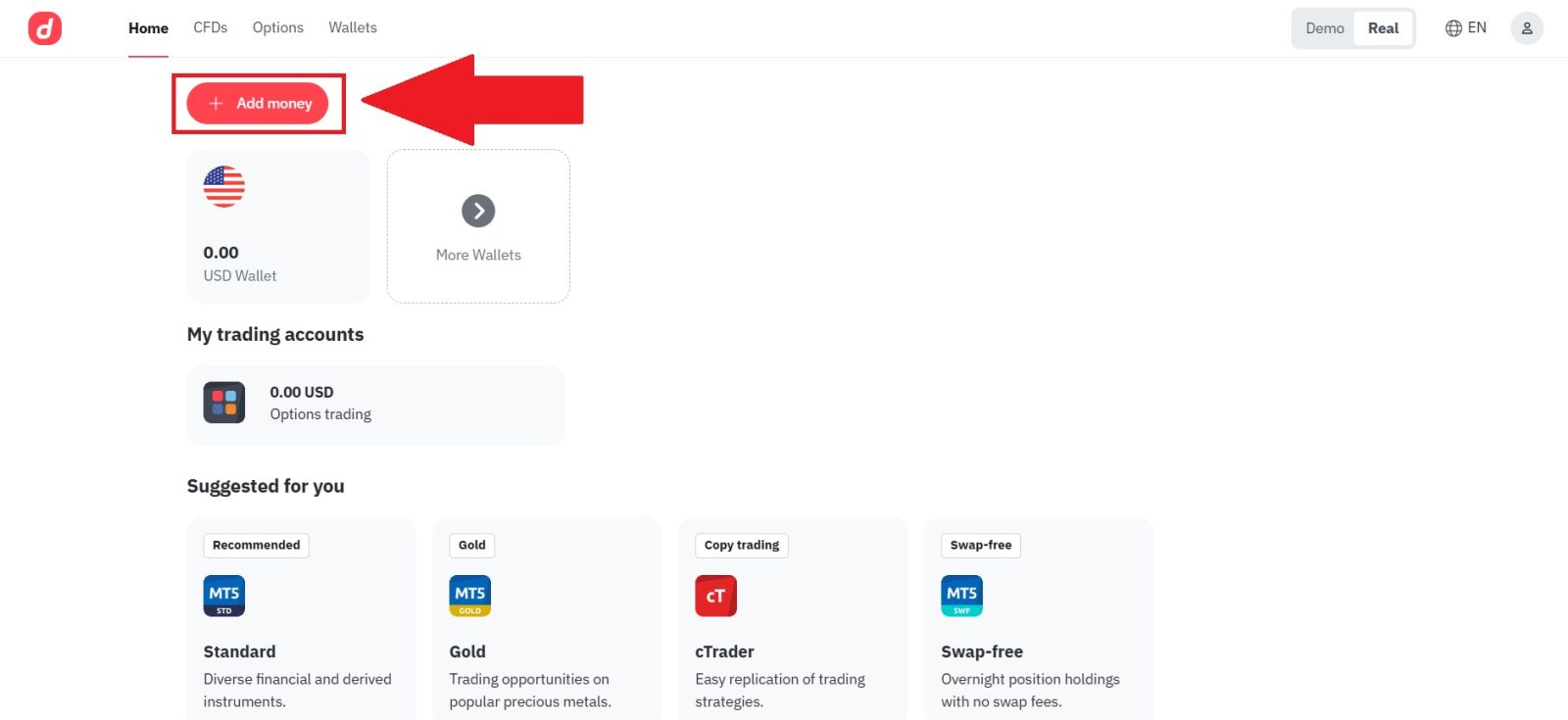
Once you have successfully logged in to your Deriv account, navigate to the Deposit by click on [Add money].
This section is dedicated to account funding and allows you to view all available deposit methods, manage your payment options, and begin the process of adding funds to your trading account securely and efficiently.
#3 Choose your Deposit Method
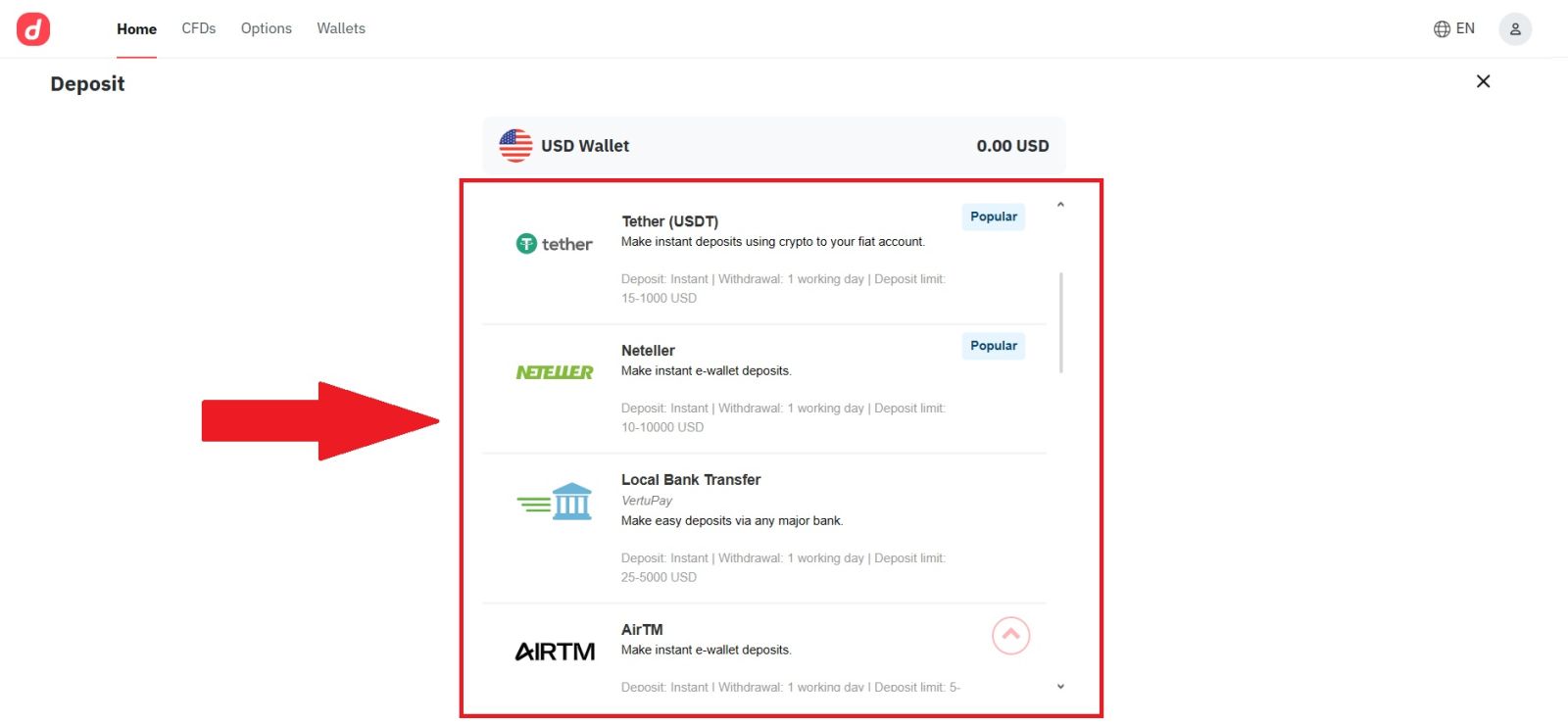
Select the deposit method you prefer from the list of available options provided by Deriv. Choose the payment method that best suits your needs and availability.
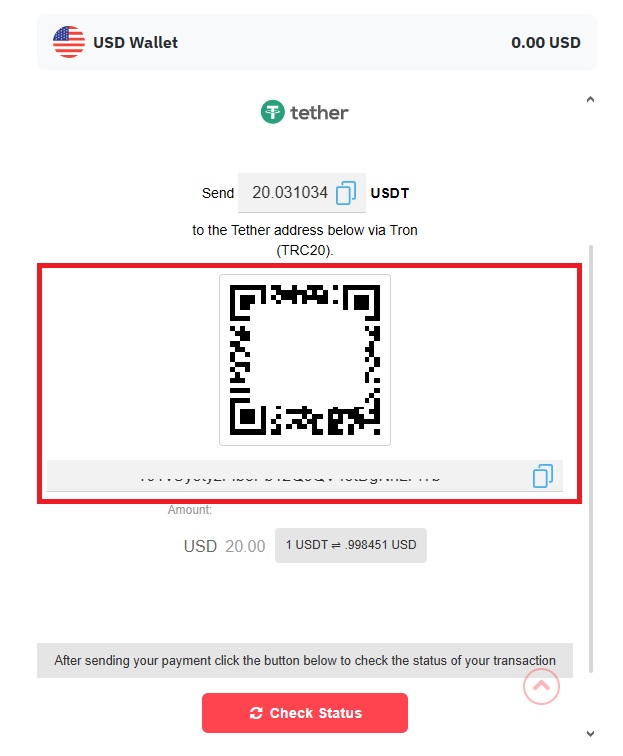
In this example, Cryptocurrencies—USDT (TRC20) is selected, as it is a popular choice due to its fast processing time and relatively low transaction fees.
#4 Input your Deposit Information
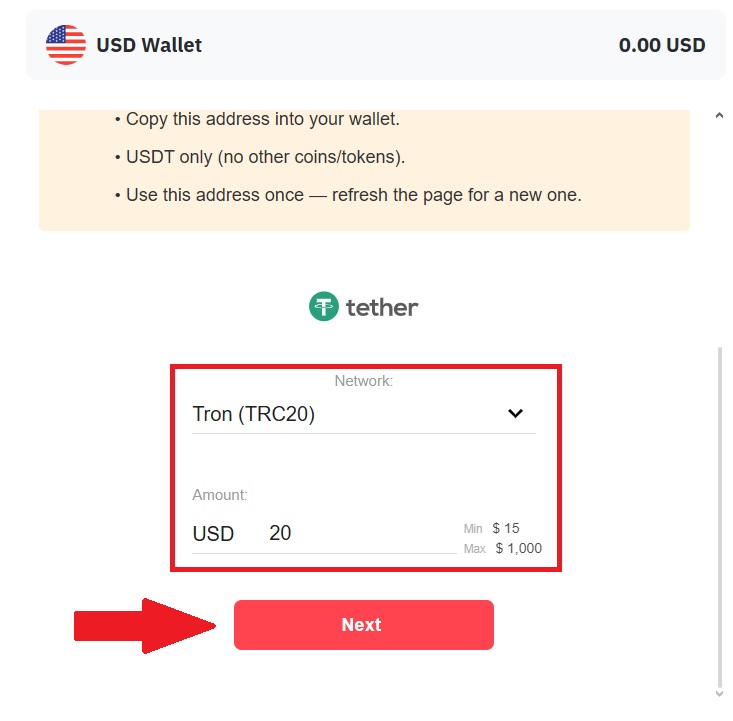
Choose the network you would like to use for your deposit from the available options. Enter the amount you wish to deposit in the designated field.
Finally, click the [Next] button to proceed with the deposit process and follow the on-screen instructions to complete the transaction. Once you’ve completed the deposit, you can view your wallet to check your updated balance.
Conclusion: Fund Your Deriv Account Smoothly and Securely
Depositing funds into your Deriv account is a straightforward process that enables you to start trading with confidence. By choosing the right payment method, understanding any associated fees, and noting processing times, you can ensure your funds are credited efficiently.
Completing the funding steps accurately and maintaining your account verification helps avoid delays and enhances your overall trading experience. With your Deriv account funded, you’re ready to explore markets and seize trading opportunities.